Exciting news for all the candidates eagerly awaiting the 2023 Basic Education Certificate Examination (BECE) results! We understand how crucial this exam is for your academic journey, determining whether you can progress to senior high school. Here is a quick overview of the recent developments:
The BECE, managed by the non-profit organization West African Examination Council (WAEC), has undergone a meticulous process to ensure accuracy and fairness. Zonal and team leaders initiated preparations from October 2 to October 3, followed by the coordination work of assistant examiners from October 4 to October 6, laying the groundwork for a smooth marking process.
The intensive marking of the 2023 BECE papers commenced on October 9 and concluded on October 23, with a dedicated team of experienced educators meticulously reviewing all answer sheets. This demanding task required a keen attention to detail.
Now, the burning question: Have the 2023 BECE results been released? The answer is a resounding YES! WAEC has officially released the results. Check here for the latest updates on your eagerly awaited 2023 BECE results!
To check your results, you will need to purchase a BECE results checker voucher. For this reason, GESHub.org has outlined all the processes below. Read on!
How to buy BECE result checker on phone with mobile money
- Visit resultschecker.com.gh with your smartphone or PC
- Choose the card type you want to buy. eg: WAECDirect Results Checker
- Enter the number of cards you want to buy, and the amount will be automatically calculated
- Click on “Buy Now”
- You will be taken to a new screen where you enter your name and phone number (Card details will be sent via SMS to the phone number you enter here)
- Click on “Proceed to Payment”
- On the next screen, select Mobile Money and enter your MoMo number. You’ll be sent an OTP to confirm.
- Confirm the payment on your phone.
- You will instantly receive an SMS with the BECE Results Checker PIN and Serial and instructions to check.
Steps to check BECE results online
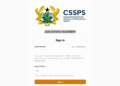
- Visit the WAEC results checking portal at eresults.waecgh.org
- When the page loads, ‘Enter your Index Number’.
- Select the Type of Examination (e.g. BECE).
- Select your Examination Year e.g. 2022
- Enter the Serial Number found on the Voucher you purchased.
- Enter the 12-digit Personal Identification Number (PIN) on your Voucher e.g. 012388678910.
- Confirm your Index Number and Examination Year.
- Click on Submit
- Results will be displayed
- Screenshot or download results
By following these straightforward steps, you can access and print your BECE results easily. If you encounter any difficulties or have questions, please do not hesitate to leave a comment for assistance.
UPDATE: WAEC has finally released the 2023 BECE results. Learn more on this page.
Published By: Justice Donkoh | GESHub.org