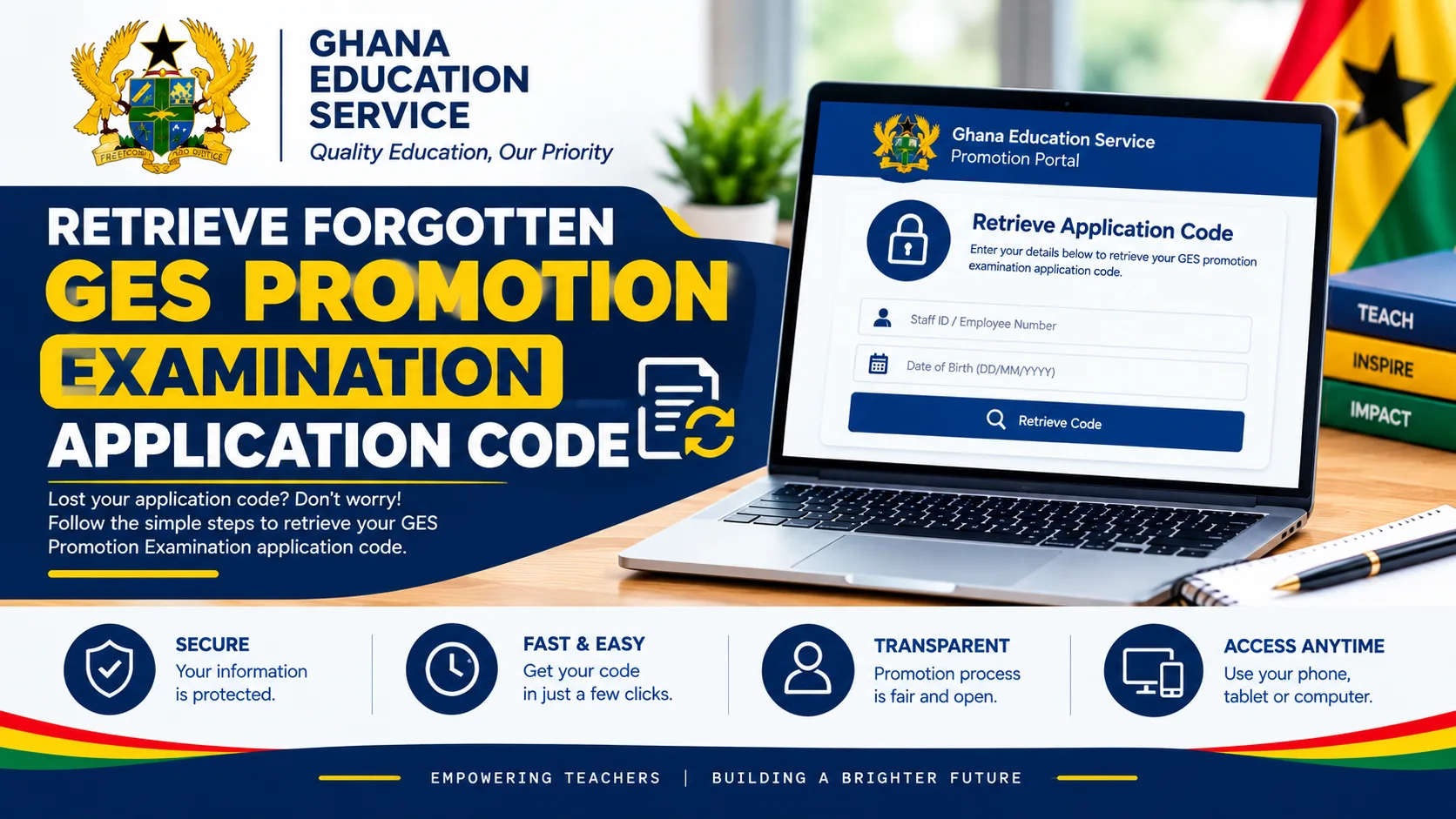

Applicants who have forgotten or misplaced their Ghana Education Service (GES) promotion examination application codes can follow the designated recovery process to retrieve their codes and check their eligibility for the 2026 GES promotion examination.
The application code is an important requirement for checking the status of a promotion application. Applicants who cannot remember their codes are therefore encouraged to use the “Forgotten Application Code” option on the GES Promotion Status Checker Portal.
The 2026 GES promotion application code follows a specific format. It contains the prefix GES-PROM- and ends with 2026, with an alphanumeric code in the middle. Recognising this format can help applicants identify their application codes among previously saved registration details.
This article provides a step-by-step guide on how to retrieve a forgotten GES promotion examination application code, the information required, the format of the code and how to use the recovered code to check the 2026 promotion application status.
Official GES Promotion Status Checker Portal 2026
Applicants who have forgotten their application codes should visit the designated GES Promotion Status Checker Portal to access the recovery option.
GES Promotion Status Checker Portal: bit.ly/statuschecker2026
The portal is intended to help applicants check their promotion application status and determine whether they qualify to sit for the upcoming GES promotion examination.
Applicants should ensure they are using the designated portal and follow the instructions provided on the website when retrieving their application codes.
What Does the 2026 GES Promotion Application Code Look Like?
The 2026 GES promotion examination application code follows a recognisable format. It begins with the prefix GES-PROM- and ends with 2026, with an alphanumeric section in between.
The code format can be represented as follows:
GES-PROM-[alphanumeric characters]-2026
The complete code is described as a 16-character alphanumeric code, including the specified prefix and year, as communicated for the application process. Applicants should use the actual code retrieved from the portal rather than attempting to construct or guess a code based on this format.
The prefix and year can help applicants recognise the correct type of reference when checking their saved application records. However, knowing the format alone does not recover a lost code.
How to Retrieve a Forgotten GES Promotion Examination Application Code in 2026
Applicants who have lost or forgotten their 2026 GES promotion application codes can follow these steps.
Step 1: Visit the GES Promotion Status Checker Portal
The first step is to open the designated GES Promotion Status Checker Portal using the link below:
Applicants should wait for the portal to load before proceeding.
Step 2: Click on “Forgotten Application Code”
On the portal, applicants should locate and select the “Forgotten Application Code” option.
This option is intended for applicants who cannot remember or locate the application codes generated during the GES promotion registration exercise.
Step 3: Enter the Staff ID and Ghana Card Details
After selecting the recovery option, applicants should enter the required identification information, including their Staff ID and Ghana Card details, as requested by the portal.
The details should be entered accurately to enable the system to identify the correct applicant.
Applicants should use their own information and avoid sharing their identification details with unauthorised individuals.
Step 4: Submit the Information
After entering the required details, applicants should submit the information and follow any additional instructions displayed on the portal.
The system will process the recovery request based on the information provided.
Step 5: Retrieve the Application Code
If the recovery request is successful, the system should display the applicant’s GES promotion examination application code.
Applicants should carefully check the displayed code, paying attention to the GES-PROM- prefix, the alphanumeric characters and the 2026 ending.
The code should be copied exactly as displayed. Applicants should not remove characters, add spaces or substitute similar-looking letters and numbers.
Step 6: Copy and Save the Recovered Code
After retrieving the code, applicants should copy it and save it in a secure location for future reference.
Keeping a record of the application code will make it easier to check the promotion application status without repeating the recovery process.
Step 7: Check the GES Promotion Examination Application Status
Once the application code has been recovered, applicants should return to the status checker and follow the instructions for checking their eligibility.
The process generally requires the applicant to:
- Select or enter the rank applied for.
- Enter the recovered application code.
- Submit the required details.
- Review the application status displayed by the portal.
Applicants should ensure that the selected rank corresponds to the rank indicated in their original application.
Information Required to Retrieve the GES Promotion Application Code
Applicants should prepare the information requested by the recovery portal before starting the process.
The details specified for the recovery process are:
- GES Staff ID: The staff identification number associated with the applicant.
- Ghana Card details: The identification information requested by the recovery form.
Accurate information is important because incorrect or mismatched details may prevent the system from identifying the appropriate application.
If the recovery process fails, applicants should check the information entered and follow the portal’s instructions before seeking further assistance from the appropriate GES administrative authority.
What Should Applicants Do If They Cannot Retrieve Their Application Codes?
Some applicants may experience difficulties while attempting to recover their forgotten GES promotion examination application codes.
In such cases, applicants should consider the following steps:
- Confirm that the correct GES Promotion Status Checker Portal is being used.
- Verify the Staff ID entered on the recovery form.
- Check the Ghana Card details for typing errors.
- Follow any error messages or additional instructions displayed by the portal.
- Retry the process if the website appears temporarily unavailable.
- Contact the appropriate Regional Education Directorate or authorised GES administrative office if the code cannot be recovered.
Applicants should not assume that a failed recovery attempt means they have been disqualified from the promotion examination. A retrieval problem does not, by itself, establish an applicant’s examination eligibility.
Important Information About the 2026 GES Promotion Application Code
Applicants should remember that the application code is a reference used to access their promotion application status. It is not an examination result or proof of promotion.
The code’s recognisable format begins with GES-PROM- and ends with 2026. Applicants who have forgotten their complete codes should use the recovery option rather than guessing the missing characters.
Applicants should also protect their personal information throughout the process. Staff IDs, Ghana Card details and application codes should be handled carefully and shared only through appropriate, trusted channels.
Frequently Asked Questions About the 2026 GES Promotion Application Code
1. How can an applicant retrieve a forgotten GES promotion examination application code?
An applicant can visit the GES Promotion Status Checker Portal at bit.ly/statuschecker2026, select “Forgotten Application Code”, enter the requested Staff ID and Ghana Card details, and submit the information.
2. What is the format of the 2026 GES promotion application code?
The code is described as a 16-character alphanumeric code with the prefix GES-PROM- and the ending 2026. Applicants should use the exact code returned by the portal.
3. What information is needed to recover a GES promotion application code?
The stated recovery process requires the applicant’s Staff ID and the Ghana Card details requested by the portal.
4. What is the official GES promotion status checker link for 2026?
The designated link provided for the 2026 GES promotion status-checking process is bit.ly/statuschecker2026.
5. Can an applicant check the promotion status after retrieving the code?
Yes. After recovering the code, the applicant can return to the portal, select the rank applied for, enter the code and follow the instructions to check the application status.
6. Does recovering the application code mean the applicant qualifies for the examination?
No. Recovering the application code only helps the applicant access the status-checking process. Examination eligibility is determined separately under the applicable GES promotion requirements.
7. What should an applicant do if the portal does not display the application code?
The applicant should verify the identification details entered, follow the portal’s instructions and contact the appropriate GES administrative authority if the problem persists.
Conclusion
Applicants who have forgotten or misplaced their 2026 GES promotion examination application codes can use the designated recovery option on the GES Promotion Status Checker Portal.
The process involves visiting bit.ly/statuschecker2026, selecting “Forgotten Application Code”, entering the required Staff ID and Ghana Card details, and submitting the information to retrieve the code.
The application code is described as a 16-character alphanumeric code beginning with GES-PROM- and ending with 2026. Applicants should save the recovered code securely and use the exact characters displayed by the system when checking their promotion application status.
Applicants are encouraged to complete the process carefully and follow official Ghana Education Service instructions regarding the 2026 promotion examination.
Published By: Justice Donkoh | GESHub.org