The Ministry of Education has announced the release of Senior High School placement, students have to check, print and report to the school they have gained admission into by the Computerized School Selection and Placement System.
To do this, there are steps to follow in order to log in to the Computerized School Selection and Placement System to check, download and print one’s school placement.
In today’s guide, we outline these simple steps to follow at the comfort of your home to check the Senior High School your ward has gained admission into.
It is to be noted that, one must have bought a school placement voucher or have one in hand to be able to successfully complete these steps.
If you have not bought the school placement checker yet, follow the steps outlined in the guide HERE to do so.
Simple steps to check Senior High School placement
- Obtain a placement pin code from an approved vendor.
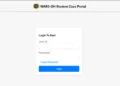
- After obtaining a pin code, log onto the site cssps.gov.gh
- Enter the ten-digit index number and add 22 as year of completion. Eg: 123456789022
- Enter the pin code details (serial number and pin)
- Click on submit and wait for placement to be displayed
- Print the form if you have been placed and visit the school to begin admission process
- System will redirect you for self-placement, if not placed
Published By: Justice Donkoh | GESHub.org