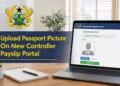
Government employees in Ghana can now generate official Controller payslips with their passport photographs attached through the newly introduced GOG Employee PayServices platform. The feature was added as part of the migration from the old ePayslip system to a more secure and modern payroll portal designed by the Controller and Accountant-General’s Department (CAGD).
With the new system, employees can easily log into their accounts, select the “Include Photo” option, and instantly generate a downloadable PDF payslip displaying their uploaded passport picture. This updated format improves staff identification and makes payslips more suitable for official documentation and verification purposes.
This guide explains the exact steps required to generate a Controller payslip with your passport picture on it using the official portal:
GOG Employee PayServices Portal
What Is the New Controller ePayslip Portal?
The new Controller ePayslip portal, officially known as GOG Employee PayServices, is an online payroll management system developed by the Controller and Accountant-General’s Department for public sector employees in Ghana.
The portal allows government workers to:
- Generate monthly payslips online
- Download payslips in PDF format
- Access salary records securely
- Print payslips instantly
- Manage payroll information online
- Generate payslips with passport pictures attached
The platform replaces the former gogpayslip.com system and introduces improved security and employee verification features.
Requirements Before Generating Payslip With Passport Picture
Before generating a payslip with a passport picture on it, employees must ensure the following:
- Successful registration on the new CAGD portal
- Valid Staff ID and password
- Passport picture uploaded on profile page
- Stable internet connection
- Access to the official portal
Employees who have not yet uploaded their passport photographs must do so before attempting to generate payslips with pictures attached.
How To Generate Controller Payslip With Your Passport Picture On It
Generating a Controller payslip with a passport picture on the new portal is simple and can be completed within minutes.
Step 1: Visit the Official Portal
Open your browser and visit: gogepayservices.com
Official Controller ePayslip Website
Step 2: Log In to Your Account
Enter your:
- Staff ID
- Password
Then click on Sign In to access your dashboard.
Step 3: Open the Payslip Section
After logging in successfully:
- Locate the menu bar at the top of the dashboard
- Click on Payslip
Step 4: Select Month and Year
Choose the:
- Month
- Year
for the payslip you want to generate.
Step 5: Select “Include Photo”
Under the Type section:
- Click and select Include Photo
This option ensures your uploaded passport picture appears on the payslip.
Step 6: Click Generate
Click on Generate.
Your Controller payslip will instantly appear as a PDF document with your passport photograph attached.
How To Download the Payslip
After generating the payslip:
- Click on the Download button
- Save the PDF file to your phone or computer
The downloaded payslip can be used for official and personal purposes, including salary verification and documentation.
How To Print the Payslip
Employees who need hard copies can print directly from the portal.
Printing Steps
- Open the generated payslip PDF
- Click on Print
- Select your printer
- Confirm printing
The payslip will print with the attached passport picture visible on the document.
Important Note About Passport Pictures
The uploaded passport picture must:
- Be clear and visible
- Have a white or solid background
- Fit properly within the photo frame
Pictures with unsuitable backgrounds may be rejected by the system.
Benefits of Generating Payslips With Passport Pictures
The new feature provides several advantages for government employees, including:
- Improved employee identification
- Enhanced payroll verification
- More professional salary documentation
- Better security and authenticity
- Easier processing for official applications
The feature also aligns with Ghana’s digital payroll modernization efforts.
Troubleshooting Common Issues
Passport Picture Not Showing
- Ensure the photo was uploaded successfully
- Select “Include Photo” before generating
- Regenerate the payslip
Payslip Not Generating
- Confirm the correct month and year were selected
- Refresh the portal and try again
- Ensure internet connection is stable
Login Problems
- Verify Staff ID and password
- Use the “Forgot Password” option if necessary
Official Controller ePayslip Portal
Government employees can access the platform here: gogepayservices.com
Controller ePayslip Login Portal
Conclusion
The new GOG Employee PayServices portal now allows government workers in Ghana to generate Controller payslips with passport photographs attached quickly and securely.
By following the steps outlined above, employees can easily access their salary records, generate professional payslips, and download or print them anytime for official use. Government workers are encouraged to regularly update their profiles and use the new portal for all payroll-related services.
Published By: Justice Donkoh | GESHub.org