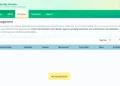
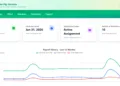
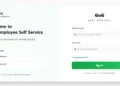
The Controller and Accountant-General’s Department (CAGD) of Ghana has officially launched a new e-Payslip portal designed to improve payroll access, security, and user experience for government employees nationwide. The new platform, GOG Employee PayServices, is now live at: gogepayservices.com
This launch marks the full migration from the old payslip website (gogpayslip.com) to a modern, more secure payroll system that allows public sector workers to register, reset accounts, and generate payslips online with ease.
Below is a complete guide to the new CAGD e-Payslip portal, including registration steps, password reset procedures, and how to generate payslips, based entirely on official CAGD tutorial videos.
What Is the New GOG Employee PayServices Portal?
The GOG Employee PayServices system is the official online payroll platform developed by the Controller and Accountant-General’s Department (CAGD). It enables government employees in Ghana to:
- Access monthly payslips online
- Securely manage payroll information
- Verify identity using Ghana Card details
- Receive OTP authentication for added security
- Download, print, or view payslips in PDF format
This new portal replaces the old gogpayslip.com website and introduces enhanced security, improved performance, and a simplified user interface.
How to Register on the New CAGD e-Payslip Portal
Government workers must complete a one-time registration to access their accounts on the new platform.
Step-by-Step Registration Process
- Visit gogepayservices.com
- Click on “Forgot Password” to begin registration
- Enter your employee number and click Continue
- Provide your Ghana Card number for identity verification
- Click Verify Ghana Card
- Confirm your personal details
- Phone number is mandatory
- Email address is optional
- Any incorrect greyed-out details must be corrected through your HR department
- Request and verify an OTP sent to your phone
- Create and confirm a new password
- Select a security question and answer (keep this private)
- Review your information and click Register Account
- Once registration is successful, return to the login page
- Sign in using your staff number and password
Registration is quick, secure, and required for all employees accessing the new system.
How to Reset Your CAGD e-Payslip Account Password
Employees who forget their login details or get locked out can easily reset their accounts using the official password recovery process.
Account Reset Steps
- Go to gogepayservices.com
- Click Forgot Password
- Enter your employee number
- Answer your security question
- Verify your phone number
- Request and enter the OTP sent to your phone
- Create and confirm a new password
- Click Reset Password
- Log in using your staff number and new password
This secure reset process ensures continued access while protecting sensitive payroll data.
How to Generate and Download Your Payslip Online
One of the key features of the new CAGD portal is the ability to generate payslips instantly.
Payslip Generation Guide
- Sign in at gogepayservices.com
- Access the dashboard
- Click Payslip from the top menu
- Select the month and year
- Click Generate
- Your payslip appears as a PDF
- Choose to print, download, or view full screen
This process allows employees to access accurate salary information anytime, anywhere.
Benefits of the New CAGD e-Payslip System
The new GOG Employee PayServices portal offers several improvements:
- Faster payslip access
- Enhanced data security
- OTP and Ghana Card verification
- Reduced payroll errors
- Mobile-friendly and user-friendly interface
- Official support through HR departments
These upgrades reflect CAGD’s commitment to digital transformation and efficient public service payroll management.
Important Notice for Government Employees
- The old payslip website (gogpayslip.com) is no longer in use
- All employees must use gogepayservices.com going forward
- Registration is required before accessing payslips
- Incorrect biodata must be corrected through official HR channels
Official CAGD Tutorial Videos
For visual guidance, CAGD has released official tutorials on YouTube covering:
- Account registration
- Password reset
- Payslip generation
These tutorials ensure employees can navigate the new portal confidently and correctly.
Final Thoughts
The launch of the new Controller & Accountant-General’s Department e-Payslip Portal is a major milestone in Ghana’s public sector payroll administration. With improved security, simplified processes, and full digital access, the GOG Employee PayServices platform ensures that government workers can manage their payslips efficiently and securely.
👉 Official Portal: gogepayservices.com
Government employees are encouraged to register early, verify their details, and begin using the new system immediately.
Frequently Asked Questions (FAQs) – New CAGD e-Payslip Portal
1. What is the new Controller & Accountant-General’s Department e-Payslip portal?
The new Controller & Accountant-General’s Department (CAGD) e-Payslip portal is an official online payroll system known as GOG Employee PayServices. It allows government employees in Ghana to securely access, generate, download, and print their monthly payslips online.
2. What is the official website for the new CAGD e-Payslip system?
The official website for the new CAGD e-Payslip portal is: gogepayservices.com. This platform has replaced the old payslip website.
3. Is gogpayslip.com still working?
Yes. However, all government employees must now use the new portal at gogepayservices.com to access their payslips.
4. Who can use the GOG Employee PayServices portal?
The portal is strictly for Government of Ghana employees whose salaries are processed by the Controller and Accountant-General’s Department (CAGD).
5. Do I need to register before using the new e-Payslip portal?
Yes. All users must complete a one-time registration on the new portal before they can log in and access their payslips.
6. How do I register on the new CAGD e-Payslip portal?
To register:
- Visit gogepayservices.com
- Click Forgot Password
- Enter your employee number
- Verify your Ghana Card number
- Confirm your details and phone number
- Verify OTP
- Create a password and security question
- Complete registration
7. Why is the Ghana Card required for registration?
The Ghana Card is used to verify employee identity and enhance security, ensuring that only authorized users can access payroll information.
8. Is a phone number compulsory during registration?
Yes. Adding or confirming a valid phone number is mandatory because it is used for OTP verification and account recovery.
9. Is an email address required to register?
No. Providing an email address is optional, but a phone number is compulsory.
10. What should I do if my personal details are incorrect?
If any greyed-out information (such as name or staff details) is incorrect, you must contact your HR department. These details cannot be edited online by employees.
11. How do I reset my password if I forget it?
To reset your password:
- Click Forgot Password
- Enter your employee number
- Answer your security question
- Verify your phone number with OTP
- Set a new password
- Log in again
12. What is the security question used for?
The security question is required for future password resets. Employees should choose an answer they can remember but keep private.
13. How do I generate my payslip on the new portal?
After logging in:
- Go to the dashboard
- Click Payslip
- Select the month and year
- Click Generate
- View, download, or print the PDF payslip
14. Can I download or print my payslip?
Yes. Payslips are generated in PDF format, allowing users to download, print, or view full screen.
15. Can I access previous payslips on the new system?
Yes. Employees can generate payslips for available previous months and years directly from the payslip menu.
16. Is the new CAGD e-Payslip portal secure?
Yes. The system uses:
- Ghana Card verification
- OTP authentication
- Password and security question protection
These features significantly enhance payroll data security.
17. What should I do if I don’t receive an OTP?
Ensure:
- Your phone number is correct
- Your phone has network coverage
If the issue persists, contact your HR department or official CAGD support channels.
18. Can I access the e-Payslip portal on my phone?
Yes. The GOG Employee PayServices portal is mobile-friendly and can be accessed using smartphones, tablets, or computers.
19. Is there an official tutorial for using the portal?
Yes. The Controller & Accountant-General’s Department has released official video tutorials covering:
- Registration
- Account reset
- Payslip generation
20. What should I do if I am unable to log in after registration?
Confirm that:
- You are using the correct staff number
- Your password is correct
If problems continue, use the Forgot Password option or contact your HR department.
Published By: Justice Donkoh | GESHub.org