
If you are a government employee searching for how to generate mandate number on the new payslip portal, this complete guide will walk you through the exact steps to successfully create your mandate number on the official GoG E-Pay Services Portal.
Many public sector workers in Ghana have recently asked questions about mandate generation, especially after updates to the new online payslip system. This article provides a step-by-step process, important reminders, and solutions to common problems to ensure you complete your mandate registration without stress.
What Is the GoG E-Pay Services Portal?
The GoG E-Pay Services Portal is the official online payroll and payslip management platform for Government of Ghana employees. It allows staff to:
- Access monthly payslips
- Manage payroll details
- Generate mandate numbers
- Authorize salary deductions
- Update personal information
The mandate number is required for authorizing deductions such as loans, welfare contributions, or other institutional payments directly from your salary.
Why You Need a Mandate Number on the New Payslip Portal
Generating a mandate number on the new payslip portal is essential if you:
- Are applying for a salary-backed loan
- Need to authorize a financial institution for deductions
- Want to set up payroll deductions
- Require an official payroll authorization reference
Without a valid mandate number, institutions cannot process salary deductions.
How to Generate Mandate Number on New Payslip Portal
Follow these instructions carefully to generate your mandate number successfully.
Step 1: Log In to the GoG E-Pay Services Portal
Visit the official website: gogepayservices.com
Then:
- Enter your Employee Number (Staff ID)
- Enter your Password
- Complete the required verification process
Not Registered Yet?
If you are not registered:
- Complete your registration first
- Use your Ghana Card
- Provide your registered mobile phone number
Make sure your phone number is active, as you will receive SMS notifications.
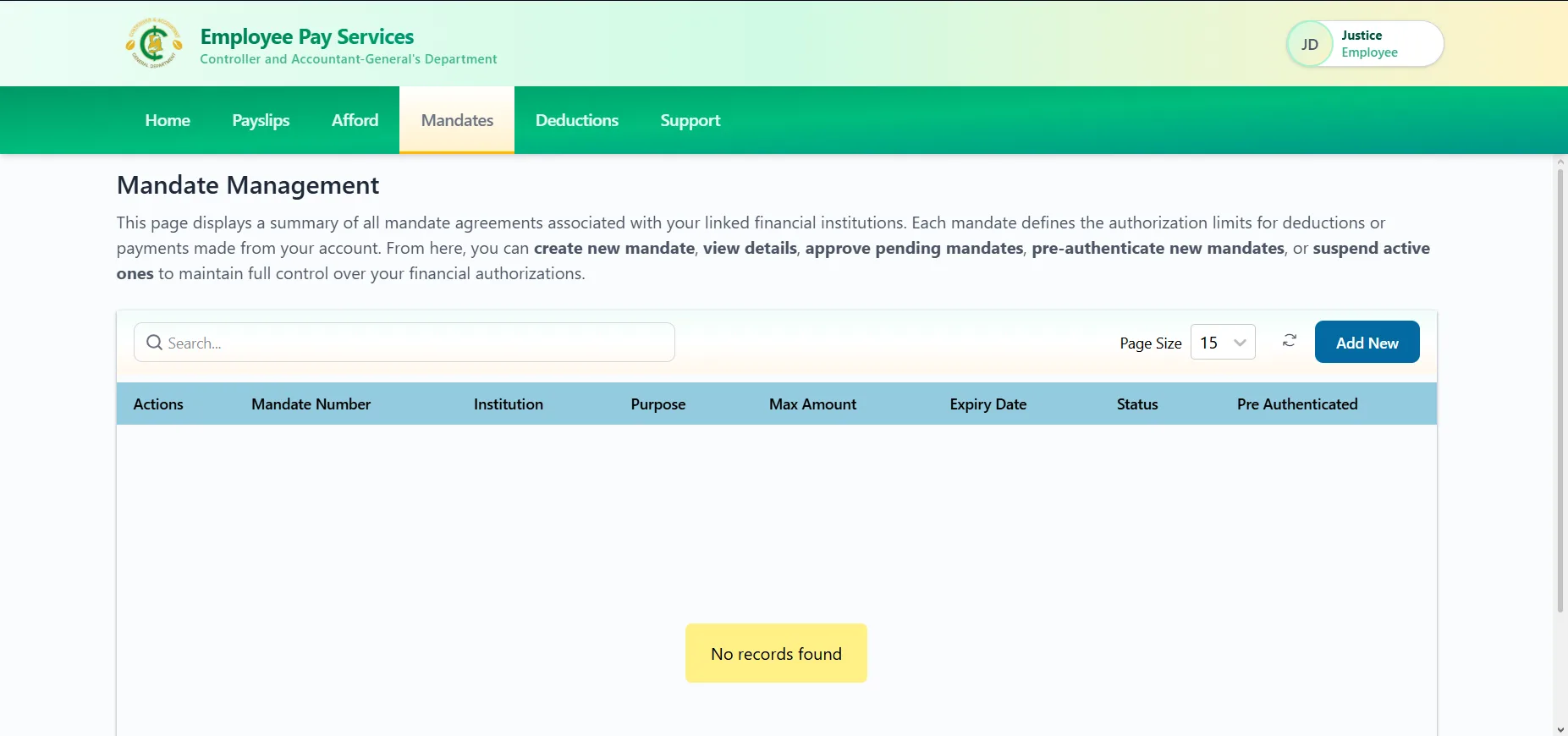
Step 2: Select “Mandate” from Dashboard
After successfully logging in:
- Navigate to your dashboard
- Click on “Mandate”
This section allows you to create and manage payroll authorization requests.
Step 3: Click “Add New”
To generate a new mandate number:
- Click “Add New”
- Fill in the required fields:
- Purpose (e.g., loan, contribution, etc.)
- Maximum Amount
- Institution Name
- Click Submit
Ensure all details are accurate before submitting.
Step 4: Receive Mandate Number via SMS
Once your request is successfully submitted:
- An SMS notification will be sent to your registered mobile number
- The SMS will contain your Mandate Number
Keep this number safe and share it only with the authorized institution.
Important Reminders When Generating Mandate Number
To avoid errors during mandate generation, take note of the following:
✔ You must be fully registered on the portal
✔ You must be logged in to generate a mandate
✔ Your registered phone number must be active
✔ Ensure your Ghana Card details are correct
✔ Double-check the maximum amount before submission
Failure to meet these requirements may prevent successful mandate creation.
Common Issues and How to Fix Them
1. Not Receiving SMS Notification
- Confirm your registered phone number is active
- Check network connectivity
- Wait a few minutes before retrying
2. Login Problems
- Confirm correct Staff ID and password
- Reset your password if necessary
- Complete verification requirements
3. Registration Errors
- Ensure Ghana Card details match official records
- Use the phone number linked to your registration
If problems persist, contact your HR department or use the official support channels on the portal.
Final Thoughts
Generating a mandate number on the new payslip portal is now straightforward if you follow the correct steps on the official GoG E-Pay Services Portal.
To summarize:
- Log in with your Staff ID
- Click on “Mandate”
- Select “Add New”
- Fill in required details
- Submit and receive your mandate number via SMS
Ensure your registration details are accurate and your mobile number is active to avoid delays. For further assistance, always contact your HR unit or use the official support system on the portal.
Published By: Justice Donkoh | GESHub.org