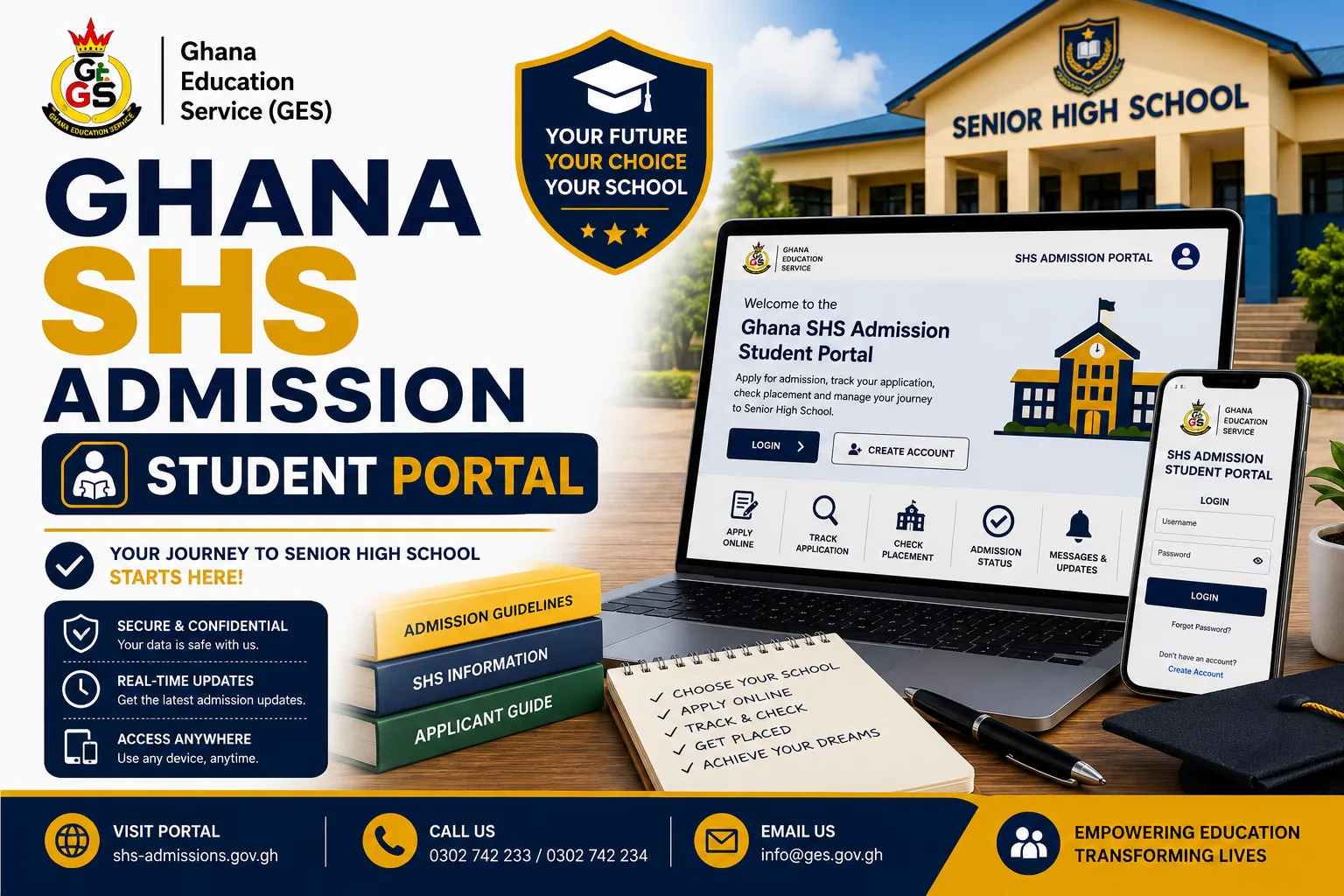

The Ghana SHS Admission Portal provides a digital pathway through which BECE candidates can proceed from Senior High School placement to the completion of their admission process.
Designed as a self-service platform for students, the portal allows a candidate to look up placement using an index number, redeem an admission voucher, complete the online admission form and download an official admission letter.
The student journey is structured to keep the major stages of the admission process within one digital platform, from confirming the school and programme assigned to generating an admission document that can be independently verified.
What Is the Ghana SHS Student Admission Portal?
The Ghana SHS Student Admission Portal is the student-facing section of the Ghana SHS Admission Portal.
It is designed specifically to give BECE candidates a self-service route for completing their SHS admission process. Unlike the school administration side of the platform, the Student Portal focuses on activities that a candidate needs to complete after placement.
The documented student functions include:
- Checking SHS placement
- Buying or redeeming an admission voucher
- Completing the admission form
- Submitting admission information
- Downloading the admission letter
- Accessing a PDF admission letter containing a QR code for verification
Who Uses the Ghana SHS Student Portal?
The student side of the platform is intended for BECE candidates.
According to the platform documentation, candidates do not need a conventional login account for the student journey. Instead, the system identifies a candidate using the BECE index number and examination year through the relevant session.
This means that the candidate’s index number and examination year are important pieces of information for accessing the placement and admission journey.
How to Use the Ghana SHS Admission Portal as a Student
The student admission process follows a defined sequence. A candidate begins by checking the placement and then proceeds through voucher redemption, form completion and admission-letter generation.
Step 1: Check the SHS Placement
The first stage of the student journey is to look up the placement.
The candidate provides the required:
- Index number
- Examination year
The portal then displays the school and programme assigned to the candidate through the placement process.
This stage allows the candidate to confirm the relevant placement information before proceeding with the school’s admission process.
What Information Does the Placement Lookup Show?
The documented student journey indicates that the placement lookup provides information about the:
- Assigned Senior High School
- Assigned programme
The school and programme are based on the placement assigned through CSSPS.
Step 2: Buy or Redeem the SHS Admission Voucher
After confirming the placement, the candidate proceeds to the admission voucher stage.
The voucher serves as the access key for opening the admission process for a particular candidate. The platform describes it as a one-time-use key linked to the candidate’s index number and coupon code.
The documented student journey uses an 8-character voucher code. Once the voucher is successfully redeemed, the system creates an admission record for the candidate.
SHS Admission Voucher Status
The platform recognizes different voucher states, including:
- Unused
- Used
- Expired, where applicable
Candidates should therefore treat their voucher information carefully because the voucher is designed for one-time use.
Can a Voucher Be Used Anytime?
No.
The platform documentation indicates that the school’s admission window still applies. Even if a voucher is valid and unused, it cannot be redeemed outside the admission dates configured for the relevant school.
Candidates should therefore pay attention to the admission period applicable to their assigned school.
Buying an SHS Admission Voucher Through USSD and Mobile Money
The platform documentation also describes a voucher-purchase feature using USSD and mobile money.
The documented process involves the following sequence:
- The candidate dials the designated USSD short code.
- The candidate selects the option to buy or retrieve a coupon.
- A mobile-money or online payment is made.
- Payment is confirmed.
- A voucher code suitable for SMS delivery is generated.
This provides a mobile-based route for obtaining or retrieving the voucher needed to continue the admission process.
Step 3: Complete the SHS Online Admission Form
After successfully redeeming the voucher, the candidate proceeds to the online admission form.
The documented form is divided into three main sections:
1. Student Details
The candidate provides the required personal information under the Student Details section.
2. Contact Information
The candidate provides the contact details required by the admission process.
3. Parent or Guardian Information
The candidate also provides the required information about the parent or guardian.
The three sections must be completed before the candidate can submit the application.
Why All Three Sections Matter
The platform’s admission workflow does not allow the candidate to proceed to submission until the required sections have been completed.
The documented system specifically states that Student Details, Contact Information and Parent/Guardian Information must all be completed before an application can be submitted.
Candidates should therefore review the information entered in each section before proceeding with submission.
Step 4: Submit the SHS Admission Application
After completing the required sections of the admission form, the candidate submits the application.
The student journey documented for the platform follows this sequence:
Student Details → Contact Information → Parent/Guardian Information → Form Completed → Prospectus Download → Application Submission → Admission Letter Download.
The prospectus is also available as part of the documented student journey.
Step 5: Download the SHS Admission Letter
After the admission process reaches the relevant stage, the candidate can download the admission letter.
The platform generates the admission letter as a PDF document with a QR code.
The QR code is an important feature because it provides a mechanism for checking the authenticity of the generated admission document.
How to Verify a Ghana SHS Admission Letter
The Ghana SHS Admission Portal is designed to make its generated admission letters independently verifiable.
According to the system documentation, every admission letter generated through the platform contains a unique QR code that links to a public verification page.
A person can scan the QR code to check the authenticity of the admission letter.
The verification page is publicly accessible and does not require an account or login. It is intended to help distinguish genuine admission letters from forged documents.
What the QR Code on the Admission Letter Does
The QR code connects the admission letter to a public verification record.
Its documented purposes include:
- Linking the admission letter to a verification page
- Allowing the letter to be scanned
- Confirming whether the admission record is genuine
- Helping distinguish genuine documents from forged admission letters
The system therefore provides an additional verification mechanism beyond simply downloading or printing the admission letter.
Ghana SHS Admission Status for Students
The Student Portal’s admission journey follows several status stages.
A candidate’s application can progress through statuses such as:
Pending → Forms in Progress → Forms Completed → Under Review → Approved → Enrolled
The system also provides a Rejected status where an application is not approved. A reason is required when an application is rejected.
Pending
The admission record has been created, but the process has not yet been completed.
Forms in Progress
The candidate is still completing the required admission information.
Forms Completed
The required admission-form sections have been completed.
Under Review
The submitted application is being reviewed.
Approved
The candidate’s application has been approved.
Enrolled
The candidate reaches the enrolled stage after registration has been confirmed.
Rejected
An application can be rejected, with the system requiring a reason for the rejection.
What Students Need Before Using the Portal
Based on the documented student journey, candidates should have the key information required for accessing and completing the process.
These include:
- BECE index number
- Examination year
- Admission voucher/code, when proceeding to voucher redemption
- Required student information
- Contact information
- Parent or guardian information
The index number and examination year are used to identify the candidate during placement lookup, while the voucher provides access to the admission form.
Important Things Students Should Know
Students using the Ghana SHS Admission Portal should take note of several important aspects of the documented process.
The Index Number Is Important
The candidate’s index number is used as part of the placement lookup and candidate identification process.
The Examination Year Is Required
The system uses the examination year together with the index number in the student journey.
The Voucher Is One-Time Use
The admission voucher functions as a one-time-use access key.
Admission Windows Apply
A valid unused voucher cannot be redeemed outside the school’s configured admission window.
All Form Sections Must Be Completed
Student Details, Contact Information and Parent/Guardian Information must all be completed before submission.
The Admission Letter Contains a QR Code
The generated PDF admission letter contains a QR code that can be used for public verification.
Ghana SHS Admission Portal 2026: Student Journey at a Glance
The entire student admission journey can be summarized as follows:
1. Check Placement
The candidate enters the index number and examination year.
2. Confirm School and Programme
The assigned SHS and programme are displayed.
3. Obtain Admission Voucher
The candidate buys or retrieves the voucher through the available process.
4. Redeem Voucher
The candidate enters the voucher code to unlock the admission form.
5. Complete Admission Form
The candidate provides student, contact and parent/guardian information.
6. Submit Application
The completed admission application is submitted for processing.
7. Download Admission Letter
The generated admission letter is downloaded as a PDF.
8. Verify Admission Letter
The QR code on the letter can be scanned through the public verification system.
Conclusion
The Ghana SHS Admission Portal 2026 provides a structured digital admission journey for BECE candidates, bringing placement lookup, voucher redemption, online admission-form completion and admission-letter generation into a single student-facing platform.
The process begins with the candidate’s index number and examination year, continues through voucher redemption and completion of the required admission information, and ends with the generation of a downloadable admission letter.
The platform also introduces an important document-verification feature through QR codes attached to admission letters. This allows admission documents to be checked through a public verification page without requiring an account.
For candidates, the key stages are straightforward: check the placement, obtain and redeem the voucher, complete all sections of the admission form, submit the application and download the admission letter.
Published By: Justice Donkoh | GESHub.org