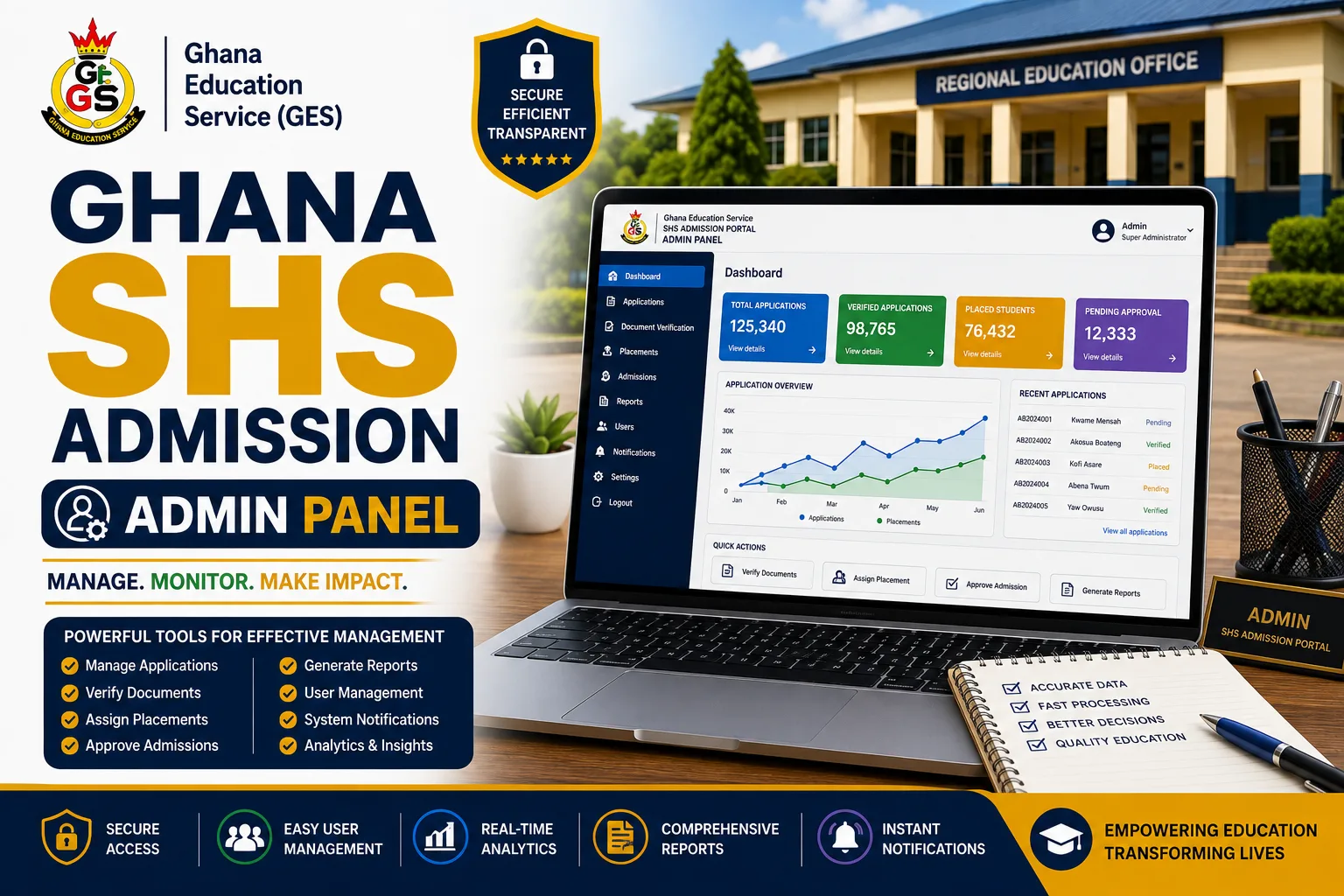

The Ghana SHS Admission Portal Admin Panel is the school-facing component of the digital Senior High School admission system. It provides schools with tools to manage placed candidates, review admission applications, update school information, set admission periods, allocate students to classes and houses, complete enrolment and monitor admission-related analytics.
Unlike the student-facing portal, which is designed to guide candidates through their admission journey, the Admin Panel is designed for school administrators responsible for managing admissions within their respective schools. The platform documentation states that each school manages its own candidates, admissions, houses, classes, vouchers and reporting, while system-wide oversight is handled by a Super Admin.
What Is the Ghana SHS Admission Portal Admin Panel?
The Ghana SHS Admission Portal Admin Panel is the administrative interface through which participating Senior High Schools manage their admission activities.
The system gives each school access to functions relevant to its own candidates and school operations. These include:
- Managing admissions
- Viewing placed candidates
- Reviewing submitted applications
- Updating school details
- Setting admission periods
- Managing financial information
- Allocating students to houses and classes
- Completing student enrolment
- Viewing admission analytics
The platform is designed so that each school operates within its own administrative scope rather than accessing another school’s candidates.
Who Uses the SHS Admission Admin Panel?
The principal users of the Admin Panel are School Administrators.
According to the system documentation, a School Admin manages one school and is responsible for admissions, vouchers, houses, classes and reporting within that school.
A separate Super Admin role provides system-wide oversight. This distinction means that ordinary school administrators work with information belonging to their respective schools, while the Super Admin has broader visibility across the platform.
Ghana SHS Admission Portal Admin Login
The uploaded system manual provides instructions for accessing the school portal.
Before accessing the Admin Panel, the school is expected to have:
- A computer
- A web browser, preferably Google Chrome
- An active internet connection
The manual identifies the admission portal URL as:entryloom.com
It further states that school administrators should log in using the same credentials used for CSSPS.
Because the supplied material is a system manual rather than a current live-status notice, schools should confirm the latest access instructions through the appropriate official channels if the login details or portal address have subsequently changed.
Features of the Ghana SHS Admission Admin Panel
The Admin Panel brings several school-level admission functions together in one interface.
1. View Placed Candidates
One of the core administrative functions is the ability to view candidates placed in the school.
This allows school administrators to access the candidates assigned to their institution and proceed with the relevant admission activities.
The platform is structured so that each school manages its own candidates rather than candidates across the entire system.
2. Manage SHS Admissions
The Admissions section provides the main workspace for managing applications submitted by candidates.
School administrators can access submitted admissions and review candidate information through the system.
The platform also provides a dedicated Needs Review queue, allowing administrators to identify applications requiring attention.
3. Review Candidate Applications
School administrators can open individual admission records to view the details submitted by candidates.
The documented process involves selecting a row within the admissions section to view the details of a submission.
This gives the school an opportunity to examine an application before making an admission decision.
4. Approve or Reject Applications
After reviewing an application, the school can take the appropriate administrative action.
The Admin Panel provides options to:
- Approve an application
- Reject an application
When an application is rejected, the system requires the administrator to provide a reason.
Approval moves the candidate forward in the admission pipeline, while rejection records the decision together with the required reason.
5. Set the SHS Admission Period
Schools can establish their admission period through the School Profile section.
The administrator is required to set both:
- Admission Opens At
- Admission Closes At
These settings determine the school’s admission window.
The admission window is particularly important because the system applies it to voucher redemption. According to the platform documentation, even a valid unused admission voucher cannot be redeemed outside the school’s open admission dates.
6. Update School Profile
The Admin Panel allows schools to update basic information through the School Profile menu.
The documented school profile functionality includes updating information such as:
- School logo
- School address
- Other basic school details
The school’s branding can also be displayed throughout the admission portal and on generated documents.
7. Manage School Contact Information
School contact information can be configured within the platform.
The information is displayed to candidates and can also appear on generated admission letters.
This provides candidates with relevant school information as they proceed through the admission process.
8. Allocate Students to Houses and Classes
The Admin Panel provides tools for assigning admitted candidates to houses and classes.
The documented process allows an administrator to use the Allocate function on an admission record to assign a candidate to a class and house.
The system also supports bulk approval and allocation functionality.
House Management
Houses are defined on a per-school basis.
Each boarding group can have a fixed admission quota.
Class Management
Classes or streams can also be configured for each school, with each having a fixed admission quota.
Live Capacity Tracking
The system tracks remaining capacity in real time, helping prevent schools from allocating more candidates than the available capacity.
9. Complete Student Enrolment
Once the necessary admission and registration processes have been completed, the school administrator can finalize the student’s admission.
The documented Admin Panel includes a Mark Enrolled function. Selecting this option completes the admission process and moves an approved candidate to the enrolled stage once registration has been confirmed.
This makes enrolment the final stage of the documented admission lifecycle.
10. Manage Financial Information
The school portal includes a financial-management function.
The documented school portal overview specifically lists Manage Financials among the administrative options available to schools.
The wider platform also provides financial summary reports at both school-level and system-wide levels.
The supplied material does not provide further details about individual financial transactions or payment procedures, so those details cannot be established from the documentation alone.
11. View Admission Analytics
The Admin Panel includes analytics that provide schools and administrators with insight into admission progress.
The documented analytics include:
- Gender breakdown
- Programme breakdown
- School occupancy
- House occupancy
These built-in charts provide a real-time view of admission progress according to the system overview.
The documentation indicates that system-wide analytics are available to the Super Admin, while school-level administration is handled within the individual school’s scope.
12. Generate Admission Documents and Reports
The platform provides several outputs that can be generated as part of the admission-management process.
These include:
Provisional Admission Letters
The system generates admission letters in PDF format, with QR-code verification.
School Prospectus
A school prospectus can be generated as a PDF for the relevant academic year.
Student List Exports
Student lists can be exported in CSV format by programme or class.
Financial Summary Reports
Financial summaries can be viewed within the application at school-level and system-wide levels.
SHS Admission Status Management
The Admin Panel forms part of the admission-status lifecycle used to track each candidate.
The documented lifecycle includes:
Pending → Forms in Progress → Forms Completed → Under Review → Approved → Enrolled
A Rejected status is also available where an application is not approved.
For school administrators, the important decision points occur when applications are reviewed, approved or rejected, followed by allocation and final enrolment.
How the SHS Admin Panel Admission Workflow Works
The school-side admission workflow can be summarized as follows:
Step 1: Access the School Portal
The administrator opens the admission portal using a supported browser and logs in with the credentials specified in the system manual.
Step 2: Review School Information
The administrator can update the school’s profile, including its logo, address and other basic details.
Step 3: Set the Admission Window
The school sets its admission opening and closing dates.
Step 4: View Candidates
The school accesses candidates placed in the institution and manages their admission records.
Step 5: Review Applications
Administrators open submitted applications and examine the information provided by candidates.
Step 6: Approve or Reject
The school approves suitable applications or rejects applications while providing the required reason for rejection.
Step 7: Allocate House and Class
The administrator assigns candidates to available houses and classes using the allocation function.
Step 8: Mark Candidates as Enrolled
After registration is confirmed, the administrator uses Mark Enrolled to complete the admission process.
Step 9: Monitor Analytics
The school can use the available analytics to monitor gender, programme, occupancy and other admission information.
Ghana SHS Admission Admin Panel: Key Features at a Glance
| Admin Panel Feature | Purpose |
|---|---|
| School Login | Provides administrators with access to the school portal |
| Placed Candidates | Allows schools to view candidates assigned to them |
| Admissions | Provides tools for managing applications |
| Application Review | Allows administrators to examine submitted records |
| Approval | Moves successful candidates forward |
| Rejection | Records unsuccessful applications with a reason |
| School Profile | Allows schools to update basic information |
| Admission Period | Controls opening and closing dates |
| House Allocation | Assigns students to available houses |
| Class Allocation | Assigns students to classes or streams |
| Capacity Management | Tracks available spaces |
| Mark Enrolled | Finalizes the admission process |
| Financials | Provides school-level financial management functionality |
| Analytics | Displays admission and occupancy information |
| Reports | Produces admission, student and financial outputs |
Why the Ghana SHS Admission Admin Panel Matters
The Admin Panel brings the major school-side admission functions into one digital environment.
Instead of handling candidates, admission decisions, class allocation, house allocation and enrolment as disconnected activities, the system links them through an admission pipeline.
For schools, this provides a structured way to manage their candidates and available capacity.
For administrators, the system provides tools for reviewing applications, tracking admission progress and generating reports.
The platform also supports school-specific customization, allowing institutions to configure their branding, contact information, admission periods and admission-letter instructions.
Ghana SHS Admission Portal Admin Panel 2026: Final Takeaway
The Ghana SHS Admission Portal Admin Panel is designed to serve as the central administrative workspace for participating Senior High Schools.
Its documented functions cover the major stages of school-side admission management, including viewing placed candidates, reviewing applications, approving or rejecting admissions, setting admission periods, allocating houses and classes, completing enrolment, managing financial information and monitoring analytics.
The system also incorporates capacity tracking, helping schools manage available spaces across houses and classes.
For school administrators, the overall workflow is straightforward:
Access the portal → update the school profile → set the admission period → view candidates → review applications → approve or reject → allocate house and class → mark enrolled → monitor analytics and reports.
The uploaded system manual identifies entryloom.com as the school admission portal and states that school administrators use the same credentials used for CSSPS to log in. However, schools should verify the current access details before using the platform, as the supplied document does not establish whether these details remain unchanged.
Published By: Justice Donkoh | GESHub.org