In today’s fast-paced world, staying updated with the latest advancements in your field is crucial. For nurses and midwives in Ghana, the Nursing and Midwifery Council (NMC) has made this easier than ever with its Continuous Professional Development (CPD) platform.
This platform enables you to enhance your knowledge, skills, and keep your credentials up-to-date. In this blog post, we will guide you through the straightforward process of downloading the NMC Mobile app, registering, and signing in.
NMC CPD Platform | Simple steps to download App, register & sign in
- Download NMC Mobile from google play store or apple app store
- Follow the link HERE
- Enter your registration Number and PIN/AIN as shown on the license card as part of the account creation process. PROVIDE A VALID ACCESSIBLE EMAIL
- You would receive your login credentials via mail. This could delay a little.
- Use the credential to access the app you downloaded from Step 1 above.
- Send all complaints to info@nmc.gov.gh or through any of the Council’s social media handles for support.
Step 1: Download the NMC Mobile App
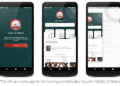
The first step in your CPD journey is to download the NMC Mobile app. You can find it on both Google Play Store for Android and the Apple App Store for iOS devices. Simply search for “NMC Mobile” and install the app on your device.
Step 2: Register Your Account
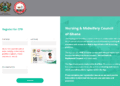
After installing the app, open it and follow the link provided: HERE
Step 3: Provide Your Registration Number and PIN/AIN
During the account creation process, you will be prompted to enter your registration number and PIN/AIN. These can be found on your license card.
Make sure to provide a valid and accessible email address to ensure you receive your login credentials via email. Be patient, as this step may take a little time.
Step 4: Receive Your Login Credentials
As mentioned, you will receive your login credentials via email. This may take a little time, so please be patient. Once you have received them, you’re ready to move on to the next step.
Step 5: Sign In
Now that you have your login credentials, use them to sign in to the NMC Mobile app you downloaded in Step 1. This will grant you access to the platform, where you can begin your Continuous Professional Development journey.
Step 6: Explore Courses and Download Your Certificate
As a registered user, you can explore a wide range of courses available on the NMC CPD platform. Select the courses that interest you and complete them at your own pace. Once you’ve completed a course, you can download your certificate as proof of your professional development.
For Returning Users
Returning users can easily log into the app and use the available tools to retrieve their credentials if necessary. From there, they can continue exploring and completing courses.
If you encounter any issues or need support, you can reach out to the Nursing and Midwifery Council through their email at info@nmc.gov.gh or contact them through any of their social media handles.
The NMC CPD platform is a valuable resource for nurses and midwives in Ghana, providing a convenient way to enhance your skills and knowledge. Follow these simple steps to get started, and you will be on your way to advancing your professional development. Stay updated, stay informed, and keep making a positive impact in the healthcare industry.
Published By: Justice Donkoh | GESHub.org