
Are you searching for how to generate a mandate number on the GoG E-Pay Services Portal? This comprehensive guide explains the exact steps Government of Ghana employees must follow to successfully create a mandate online.
Whether you need the mandate for salary deductions, loan processing, or institutional payments, this detailed tutorial will help you complete the process quickly and without errors.
What Is the GoG E-Pay Services Portal?
The GoG E-Pay Services Portal is the official online payroll and payment management system for Government of Ghana employees. It allows public sector workers to securely manage payroll-related services, including mandate generation for approved deductions.
Through the portal, employees can:
- Generate mandate numbers
- Authorize salary deductions
- Manage payment instructions
- Access payroll services online
Official website: gogepayservices.com
What Is a Mandate Number?
A mandate number is a unique authorization code generated on the GoG E-Pay Services Portal. It allows banks, savings and loans institutions, and other financial organizations to process approved salary deductions.
Without a valid mandate number, institutions cannot legally proceed with payroll-based deductions.
Guide to Generate a Mandate Number on GoG E-Pay
Follow the steps below carefully to generate your mandate successfully.
Step 1: Log In to the Portal
- Visit gogepayservices.com
- Enter your:
- Employee Number (Staff ID)
- Password
- Complete the required verification process.
If You Are Not Registered
Before you can generate a mandate number, you must register on the portal. You will need:
- Your Ghana Card
- Your registered mobile phone number
Ensure your phone number is active because your mandate number will be sent via SMS.
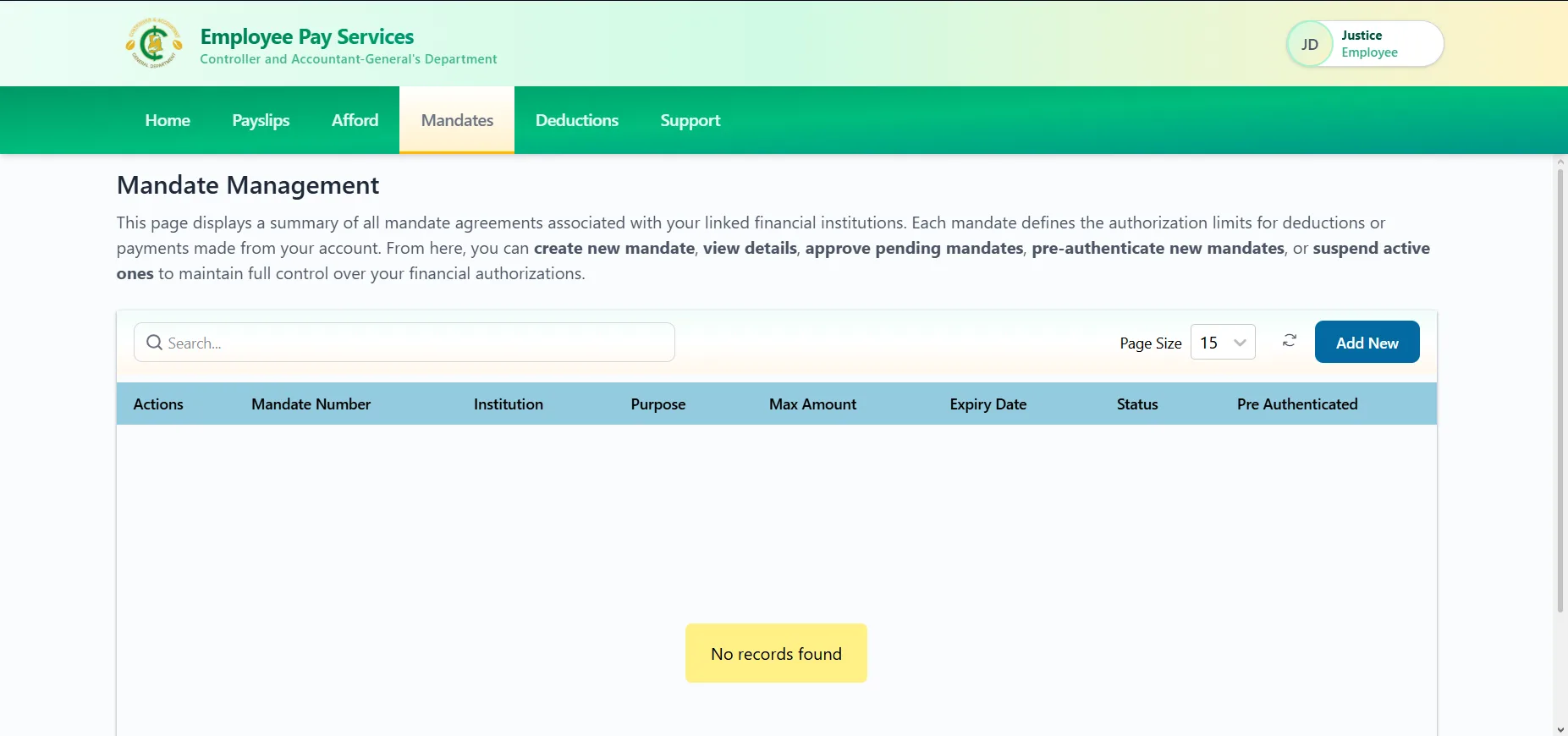
Step 2: Select “Mandate” on Your Dashboard
After logging in successfully:
- Navigate to your dashboard
- Click on the “Mandate” option
This section allows you to create and manage your mandates.
Step 3: Click “Add New” and Enter Required Details
To generate a new mandate:
- Click on “Add New”
- Fill in the required fields:
- Purpose
- Maximum Amount
- Institution
- Review your details carefully
- Click Submit
Ensure all information entered is accurate to avoid delays or rejection.
Step 4: Receive Your Mandate Number via SMS
After submission:
- An SMS notification will be sent to your registered mobile number
- The message will contain your Mandate Number
Keep this number secure and share it only with the authorized institution.
Important Requirements for Mandate Generation
To successfully generate your GoG mandate number, make sure:
- You are fully registered on the portal
- You can log in successfully
- Your registered phone number is active
- Your details match your official payroll records
Common Issues and Solutions
Not Able to Log In
- Confirm your Staff ID and password
- Use the password reset option if needed
Not Receiving SMS
- Ensure your phone is active and has network coverage
- Confirm the registered phone number is correct
- Wait a few minutes and try again
Registration Challenges
- Double-check your Ghana Card details
- Ensure your phone number matches your registration data
If you continue experiencing difficulties, contact your HR unit or use the official support channels provided on the portal.
Conclusion
Generating a mandate number on the GoG E-Pay Services Portal is straightforward when you follow the correct process. Simply log in, select “Mandate,” click “Add New,” enter the required details, and confirm your submission.
Ensure your registration is complete and your phone number is active to receive your mandate number without delays. For fast and successful mandate generation, always double-check your details before submitting.
Published By: Justice Donkoh | GESHub.org