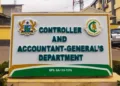
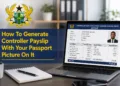
The Government of Ghana electronic payslip (ePayslip) is a Controller and Accountant General’s Department electronic payslip system.
The system is designed very intelligently to have easy access to your payslip so that you can access your payslip from anywhere using your mobile phone or any computer with internet access using your staff ID and password.
Just recently, the Controller and Accountant General’s Department upgraded the security system of the electronic payslip system.
This resulted in the addition of other security features and options that seeks to aid government workers on the e-payment system to lodge complaints of wrongful deductions on their salary.
With the all new ePayslip dashboard, public sector workers on the Government of Ghana Electronic Payslip (E-payslip) platform can perform the following activities;
- Subscribe to third party financial institutions and make request for a QUICK LOAN.
- Request a Change of bank.
- Generate and view Tier Two pension deductions.
- View deductions from third-party agencies.
- Leave of absence.
- Study leave with pay.
- Break in service
- Check and request refund for wrongful deduction on their salary.
This brings us to the question of, how can I check and request for refund for a wrongful deduction, either by Teacher Union, Bank, Controller, NTC etc. on my GoG e-payslip?
In this writeup, we will guide you to do this in some few steps. Kindly follow the outlined procedure below to check and request for refund for a wrongful deduction on your e-payslip.
Simple steps to log in to CAGD ePayslip
- Visit the official GoG ePayslip platform at gogpayslip.com
- Close or tap ‘Click here to continue’ on the pop-up that shows after the page loads.
- Enter your Staff ID
- Enter your Password
- Enter the confirmation code exactly as shown under your password
- Click Login
After the above process, you can now proceed to check and request for refund for a wrongful deduction on your e-payslip.
Simple steps to check & submit wrongful CAGD deduction request
- Click skip on the pop-up that shows when you log in to your account
- Locate Wrongful Deductions in the list of options on your e-payslip dashboard
- Select the month the wrongful deduction was made on your payslip
- Enter the year the wrongful deduction was made on your payslip
- Click Search
- A list of deductions will show on the payslip for the month you selected
- Locate the wrongful deduction and tick the small box beside it
- Describe why that particular deduction should not have been made and should therefore be reversed in the comment box that shows after you tick the small box.
- Click Submit Complain
Congratulations, you have successfully checked and requested for refund for a wrongful deduction on your salary.
The Controller and Accountant General’s Department will now investigate your claim and if they find it to be right or genuine, a refund will be made on your next payment.
Published By: Justice Donkoh | GESHub.org