
Every year, thousands of students across Ghana sit for the Basic Education Certificate Examination (BECE), marking a major step in their academic journey. After the exams, the next milestone is the school placement process, managed by the Computerised School Selection and Placement System (CSSPS).
The placement determines which Senior High School (SHS), Technical, or Vocational institution each candidate will attend. Knowing how to check school placement online is therefore very important for both students and parents.
This guide explains the process step by step, highlights common mistakes to avoid, and shares helpful tips for a smooth placement experience.
What is the CSSPS School Placement?
The CSSPS (Computerised School Selection and Placement System) is a centralized system introduced by the Ghana Education Service (GES) to fairly place BECE graduates into second-cycle institutions. The placement is based on:
- Candidate’s BECE performance (aggregate scores)
- Choice of schools selected during registration
- Available vacancies in selected schools
- Programme of study
The system ensures transparency and fairness, removing human bias from the process.
What You Need to Check Your School Placement
To check your placement online, a candidate must have:
- BECE Index Number – A 10-digit number assigned during the exam.
- Year of Examination – The last two digits of the year, added to the index number.
- Example: If the index number is 1000000000 and the year is 2025, enter 100000000025.
- Date of Birth (DOB) – The date used during registration for BECE.
💡 Note: In recent years, candidates do not need scratch cards or vouchers; the process has been simplified to use only Index Number and Date of Birth.
Step-by-Step Guide: How to Check BECE Placement Online
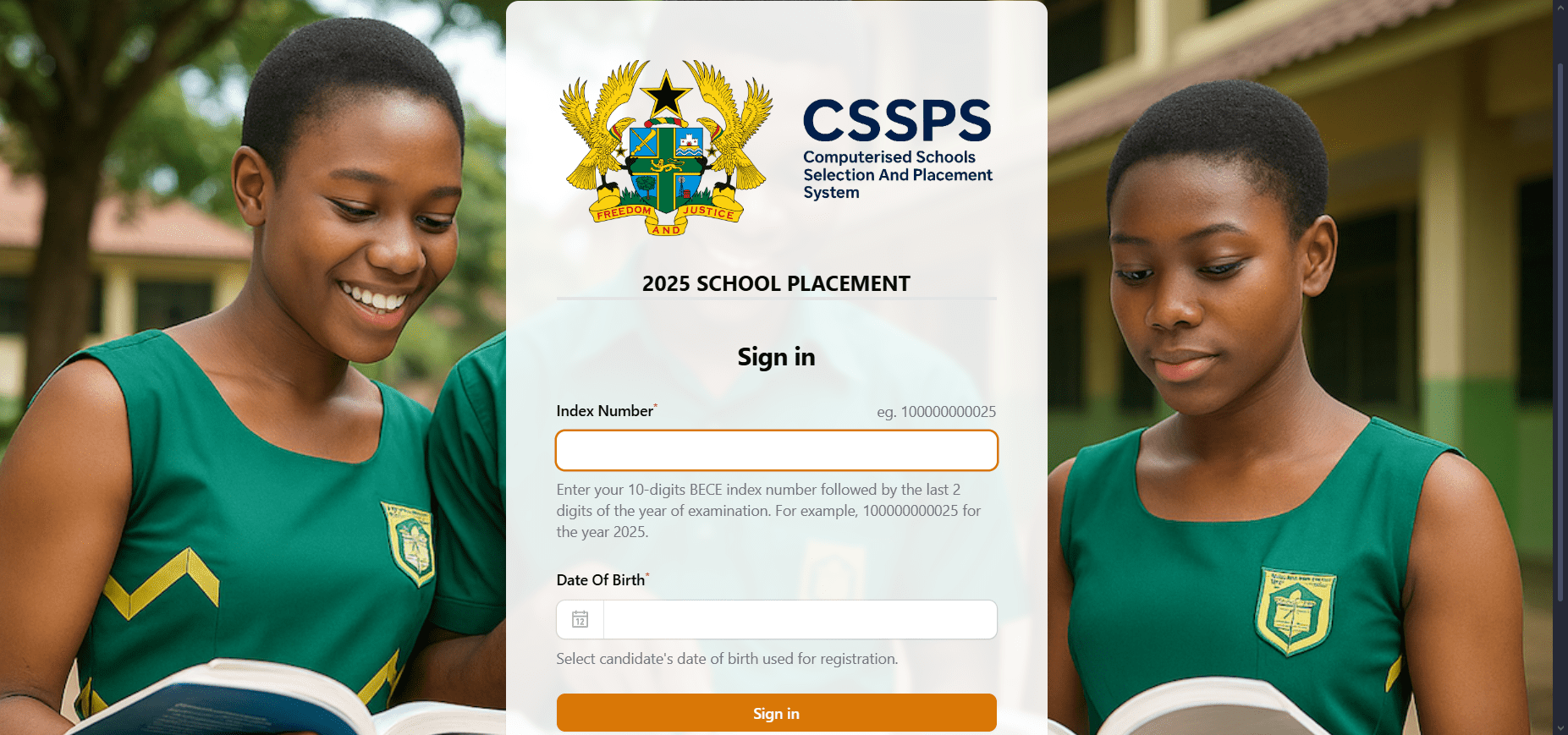
- Visit the Official CSSPS Portal
- Go to the placement website provided by the MoE at cssps.gov.gh.
- Enter Index Number
- Input your 10-digit BECE index number, followed by the last two digits of your exam year.
- Provide Date of Birth
- Enter or select the candidate’s registered date of birth.
- Click “Sign In”
- After submitting, the system will load and display the school where the candidate has been placed.
- Print or Save the Placement Slip
- Always download or print the slip, as it may be required during admission.
Common Issues and Solutions
- Wrong Index Number → Double-check before submitting. A single error can prevent access.
- Incorrect Date of Birth → Ensure it matches the one used during BECE registration.
- Website Congestion → During release days, the system may be slow due to heavy traffic. Try checking late at night or early in the morning.
- Not Placed Automatically → Some candidates may not be placed into any school directly. They will need to use the CSSPS Self-Placement Portal to select from available schools.
Tips for Parents and Students
- Check Early: Don’t wait until the last day, as the portal may experience delays.
- Use a Reliable Internet Connection: To avoid interruptions when signing in.
- Assist Younger Candidates: Parents or guardians should guide their wards during the process.
- Understand the Placement Outcome: Getting placed in a different school than the one you hoped for is not the end. Focus on the opportunities available in the assigned institution.
- Explore Self-Placement: If automatically unplaced, quickly make a choice on the self-placement portal to secure a spot.
Why the Placement Process Matters
The BECE placement system is more than just an academic requirement—it shapes the next phase of a student’s future. It determines:
- The school environment they’ll study in
- The programme of study they’ll pursue
- The opportunities for academic and personal development
That’s why it’s important for students and parents to understand the process, check placements promptly, and prepare adequately for admission.
Frequently Asked Questions (FAQ) on BECE School Placement
1. How do I check my BECE school placement?
You can check your BECE school placement by visiting the official CSSPS placement portal. Enter your Index Number (with exam year) and Date of Birth, then click “Sign In” to view your placement.
2. Do I need a scratch card to check my placement?
No. In recent years, candidates only need their BECE Index Number and Date of Birth. Scratch cards or vouchers are no longer required.
3. What happens if I am not placed in any school?
If you are not automatically placed, you can use the CSSPS Self-Placement Portal to select a school from the available options.
4. Can I change the school I am placed in?
No, once placed, you cannot change your assigned school. However, if you are unplaced, you can choose from available schools using the self-placement option.
5. What should I do if I enter the wrong Date of Birth?
Make sure you use the exact Date of Birth you provided during BECE registration. If you mistakenly registered with an incorrect date, you must use that date to log in.
6. When should I check my placement?
It is best to check your placement as soon as the results are released to avoid congestion on the portal and to prepare adequately for admission.
7. What do I need to take to the school after placement?
Candidates should print their CSSPS placement slip, attach their BECE results slip, and carry all required admission documents to their new school.
Final Thoughts
The CSSPS school placement system has made checking SHS assignments more transparent, fair, and convenient. With just an Index Number and Date of Birth, candidates can easily find out where they have been placed and take the next step toward their secondary education.
Parents and guardians are encouraged to support their wards during this crucial stage. Whether placed in a first-choice school or not, what truly matters is the student’s commitment, focus, and determination to succeed.
👉 Tip: Always use the official CSSPS portal to check placements and avoid third-party sites that may mislead or charge unnecessary fees.
Published By: Justice Donkoh | GESHub.org