

Are you a final-year student or newly posted graduate looking to begin your Ghana National Service? The National Service Scheme (NSS) has launched a newly restored and improved official registration portal for all applicants.
Whether you want to check your NSS posting, print your appointment letter, or complete regional validation, this step-by-step guide will walk you through how to access the new NSS portal login, navigate your dashboard, and complete your registration process with ease.
What Is the New Official NSS Portal?
The NSS portal is the official online platform for all activities related to Ghana’s National Service Scheme. It’s where personnel can:
- Log in to their dashboard
- Check service postings
- Print appointment letters
- Verify personal information
- Complete validation
- Download certificates
Official NSS Portal Link:
👉 gnsa.gov.gh
Always use this official link. Avoid fake websites and third-party services claiming to offer NSS help.
What You Need Before You Log In
Before logging into the NSS portal, make sure you have the following:
- Your NSS Number or PIN Code
- Your Ghana Card Number (now required for login)
- A valid email address
- Access to a computer or smartphone with internet
How to Access the New NSS Portal
Follow these steps to access your dashboard and complete your NSS registration:
1. Visit the Official NSS Portal
Go to 👉 gnsa.gov.gh
2. Click on ‘Sign In’ or ‘Check & Access Posting’
Depending on your stage in the process, choose the relevant action:
- New applicants: Click Check & Access Posting
- Already registered users: Click Sign In
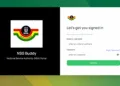
3. Enter Required Details
You’ll be asked to input:
- NSS Number or PIN Code
- Ghana Card Number
- Date of Birth (for verification)
4. Access Your NSS Dashboard
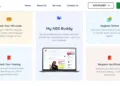
After logging in, your NSS dashboard will display:
- Your assigned region and organization
- Posting letter download option
- Buttons for accepting posting, updating personal info, or beginning regional validation
5. Print Appointment Letter
Click “Print Appointment Letter”, sign it, and get it endorsed at your regional NSS office or by your assigned organization.
What You Can Do on Your NSS Dashboard
Once logged in, you can:
- ✅ Check your NSS posting location
- ✅ Download and print appointment letters
- ✅ Update your profile and contact info
- ✅ Track registration and validation status
- ✅ Start your regional validation
- ✅ Print your NSS certificate (after completion)
Ghana Card Now Mandatory for NSS Login
The Ghana Card is now a compulsory requirement to access your NSS portal. Make sure your card is valid and the details match your NSS records. Mismatched info could delay your registration or validation.
Troubleshooting Common NSS Portal Issues
If you’re facing problems with the NSS portal:
- Portal not loading? Try refreshing the page or switching browsers.
- Forgot password? Use the “Reset Password” option on the login page.
- Missing posting? Contact your school’s NSS coordinator or reach out via official NSS help channels.
Need Help? Use the contact form or official NSS support email found on the portal’s homepage.
Avoid NSS Scams and Fake Portals
The NSS warns all personnel to avoid engaging with fraudsters or fake websites claiming to offer:
- Fast-track posting
- Payment for better placements
- Backdoor registration services
Always use:
🔗 gnsa.gov.gh
Key Dates to Note for NSS 2025/2026
- 🧾 Posting Release Date: Ongoing
- 📍 Regional Validation: Follow NSS regional office announcements
- 📄 Deadline to Print Appointment Letter: Check dashboard alerts
- 👩⚕️ Deployment Begins: As communicated by NSS HQ
Quick Links for NSS Applicants
Final Thoughts
The new NSS registration portal is your gateway to a successful National Service year in Ghana. From checking your posting to validating your details, everything happens on your NSS dashboard.
Make sure you have your Ghana Card, PIN code, and access the official portal only. Stay alert, avoid scams, and follow official updates from the National Service Secretariat.
Start your NSS journey the right way — log in now and complete your registration!
Source: GESHub.org




Please I completed NSS in 2024 and haven’t received my Certificate. I reported to the regional office but I’ve still not received it. Please can it be sent to me via Email. Thank you
Please I completed NSS 2024 and have not gotten my NSS certificate. I’ve reported to the regional office several times but I’ve still not received it. Please can I get the softcopy through my email. Thank you