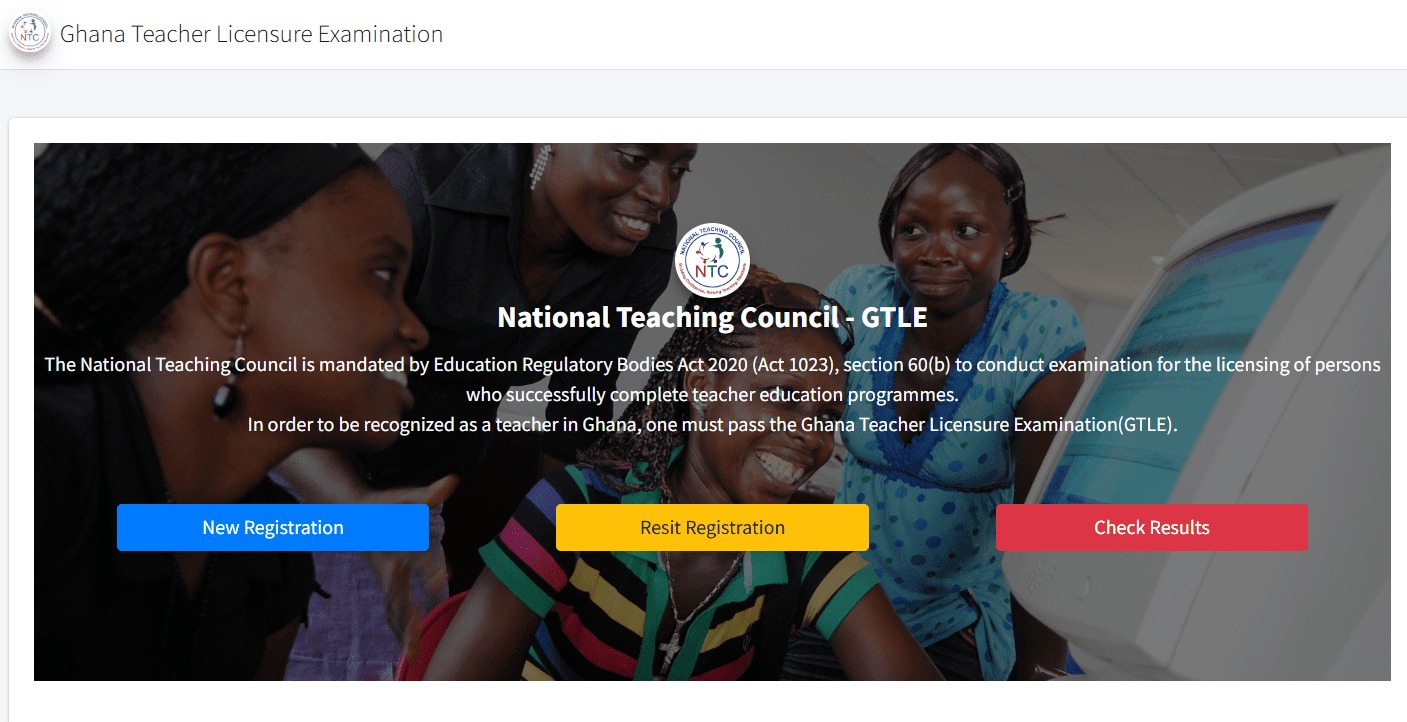

The National Teaching Council (NTC) has officially released the much-anticipated 2025 Ghana Teacher Licensure Examination (GTLE) I results, but due to overwhelming traffic on their results-checking portal, many candidates are experiencing delays. The NTC has issued a public notice to manage this issue and ensure smooth access to results. Here’s everything you need to know about the latest developments and how to check your GTLE results.
The NTC’s Official Update on GTLE Results
The NTC officially released the 2025 GTLE I results on Wednesday, 17th September 2025, at 12:00pm GMT. However, due to high traffic on the Teacher Portal Ghana (TPG), candidates have faced difficulties accessing their results. This congestion has led to slow page loading and sometimes a complete inability to access the portal.
In response to these issues, the NTC has issued a public notice, acknowledging the high traffic due to simultaneous activities like result checking and new exam registration. To alleviate the congestion and offer candidates a fair chance to access their results, the NTC has provided new guidelines on portal usage.
What’s Changed: New Portal Timings to Manage Traffic
To address the portal congestion, the NTC has now scheduled specific time slots for different activities on the Teacher Portal Ghana (TPG). This strategic move aims to ensure that candidates can register for the upcoming GTLE exam and check their results without experiencing further delays.
- Portal Open for Registration: The registration for the upcoming GTLE will be available from 6:00 AM to 6:00 PM each day.
- Portal Open for Results Checking: The portal will be open for results checking from 6:00 PM to 6:00 AM.
These updated timings allow candidates to focus on registration and result checking at different times, significantly reducing peak time congestion.
Steps to Check Your 2025 GTLE Results
If you’re one of the many candidates struggling to access the results, here’s a quick refresher on how to check your 2025 GTLE results when the portal is functioning correctly:
- Visit the NTC Results Checking Portal
Navigate to the official NTC results portal at exams.ntc.gov.gh. - Enter Your Details
On the portal, locate the fields to input your Personal Identification Number (PIN) and Serial Number. These were provided to you when you registered for the exam. - Submit Your Information
After entering the correct details, click the Submit button to view your results. - View Your Results
Once your submission is processed, your GTLE results will appear on the screen. Be sure to review your subject grades carefully. - Print Your Provisional Certificate
After checking your results, you’ll have the option to print your provisional certificate directly from the portal. - Save a Digital Copy (Optional)
To keep a digital record of your results, you can take a screenshot or save the webpage as a PDF.
How to Avoid Portal Congestion: Tips for Candidates
Given the current congestion on the portal, candidates are advised to:
- Retry Periodically: Instead of logging in repeatedly, refresh the portal at intervals to avoid overloading the system.
- Access During Off-Peak Hours: Try checking your results during late-night or early-morning hours, when traffic may be lower.
- Stay Updated: Keep an eye on official NTC announcements for the latest updates on portal accessibility and performance.
NTC’s Commitment to Resolving the Issue
The NTC has reassured candidates that their technical team is actively working to address the congestion and restore smooth access. The public notice also encourages candidates to adhere to the new schedule for results checking to help reduce inconveniences and allow for a more efficient browsing experience.
Key Takeaways
- NTC has released the 2025 GTLE results, but high traffic on the portal has caused delays.
- The portal now operates on a new schedule: Registration is available from 6 AM to 6 PM, while results checking is from 6 PM to 6 AM.
- Candidates should retry the portal periodically and access it during off-peak hours for smoother results checking.
Stay Patient and Stay Informed
While many candidates are still experiencing issues accessing their results, the NTC is committed to resolving these technical challenges. Candidates are encouraged to follow the new portal schedule and stay patient as the situation is addressed. For the latest updates on the 2025 GTLE results, be sure to visit the official NTC website at exams.ntc.gov.gh or trusted educational news platforms.
Don’t Miss Out: Check Your 2025 GTLE Results Now!
We understand the frustration many candidates are facing during this period. Rest assured, the NTC is working hard to ensure that everyone can access their results soon. Keep following the official channels for real-time updates and make sure to follow the updated portal timings to check your results as soon as possible.

Frequently Asked Questions (FAQs) about 2025 GTLE Results and NTC Portal
1. What is the 2025 GTLE, and when were the results released?
The 2025 Ghana Teacher Licensure Examination (GTLE) is a national examination that qualifies teachers to practice in Ghana. The results for GTLE I were officially released by the National Teaching Council (NTC) on Wednesday, 17th September 2025, at 12:00pm GMT.
2. How can I check my 2025 GTLE results?
To check your 2025 GTLE results, follow these steps:
- Visit the official NTC results portal at exams.ntc.gov.gh.
- Enter your Personal Identification Number (PIN) and Serial Number used during your registration.
- Click the Submit button.
- Review your results on the screen and print your provisional certificate if necessary.
3. Why is the NTC portal not working or is slow?
Due to the high volume of traffic on the portal, many candidates are facing delays in accessing their results. The NTC portal is experiencing network congestion as a result of both result checking and new exam registration occurring simultaneously.
4. What are the new timings for the NTC portal?
To manage the high traffic and reduce congestion, the NTC has updated the portal timings:
- Portal open for GTLE registration: 6:00 AM to 6:00 PM each day.
- Portal open for results checking: 6:00 PM to 6:00 AM.
Candidates should follow these timings to avoid delays and improve the chances of successfully logging into the portal.
5. Can I check my 2025 GTLE results at any time?
The portal will be available for checking results from 6:00 PM to 6:00 AM. Outside of these hours, the portal will be used for new exam registration.
6. What should I do if I can’t access the results portal?
If you are unable to access the portal:
- Retry periodically: Refresh the page at intervals instead of continuous logins.
- Try off-peak hours: Accessing the portal late at night or early morning might reduce the chances of congestion.
- Stay updated: Monitor official NTC communications for real-time updates on the portal’s performance.
7. Why is there a delay in checking my results?
The delay is due to unexpected network congestion caused by the high number of candidates attempting to access the portal simultaneously. The NTC is aware of the issue and is working to resolve it quickly.
8. How do I get my provisional certificate after checking my results?
Once you successfully check your 2025 GTLE results, you will have the option to print your provisional certificate directly from the portal. Follow the on-screen instructions to download or print the certificate.
9. Can I save a copy of my GTLE results?
Yes, you can save a digital copy of your results and provisional certificate by taking a screenshot or saving the webpage as a PDF for future reference.
10. Is there any way to avoid the portal congestion?
To avoid congestion, candidates are advised to:
- Access the portal during off-peak hours, especially late at night or early in the morning.
- Refresh the page periodically to avoid repeated login attempts, which may worsen congestion.
- Follow the new schedule for the portal: Results checking is available from 6:00 PM to 6:00 AM, and registration occurs from 6:00 AM to 6:00 PM.
11. What should I do if I am experiencing a technical issue with the NTC portal?
If you encounter a technical issue with the portal, such as an error message or incorrect results, you should:
- Contact the NTC support team using the official contact details provided on the portal or their website.
- Try the portal at a later time to see if the issue resolves as technical teams work to improve system performance.
12. Can I still register for the upcoming GTLE exam if I miss the 6:00 PM to 6:00 AM window?
Yes, the portal is open for GTLE exam registration from 6:00 AM to 6:00 PM. If you miss the evening hours, you can still register during this window.
13. How can I stay informed about updates on the NTC portal?
Candidates are encouraged to:
- Monitor official NTC channels like the NTC website and social media pages for the latest updates.
- Check trusted educational news platforms for real-time announcements and progress updates on the portal.
14. Will the NTC portal be available 24/7 after these updates?
No, after the new update, the portal will operate within the given time frame:
- 6:00 AM to 6:00 PM for exam registration.
- 6:00 PM to 6:00 AM for result checking.
This is to prevent congestion and ensure that candidates have an optimal experience during their portal access.
15. What can I do if my results are not showing up on the portal?
If your results are not showing, ensure you:
- Enter the correct Personal Identification Number (PIN) and Serial Number.
- Double-check that the portal is functioning by trying again at a different time.
If the issue persists, contact NTC support for assistance.
16. How will the NTC resolve the portal congestion?
The NTC is actively working with its technical team to resolve the congestion. This may involve enhancing server capacity or optimizing the website for smoother user experience. In the meantime, candidates are asked to follow the new portal access schedule to help ease the traffic.
17. How long will the portal timings remain in place?
The new portal timings will remain in effect for as long as the congestion persists. Candidates are advised to check for updates on the portal or official NTC communications for any changes.
Published By: Justice Donkoh | GESHub.org