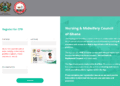
When the licensing examinations results for Registered General Nursing, Registered Midwifery and Public Health Nursing candidates who sat for the examination are released, they are hosted online for students to access them.
In today’s writeup, we will guide all Registered General Nursing, Registered Midwifery and Public Health Nursing students to check their results online in some few simple steps.
Simple steps to check RNAC & RNAP licensing examination results online
- Visit the Council’s official online results checking portal at nmc.gov.gh
- Click on online service> online results
- Select Generate code on the next page
- Key in your index number and contact number
- Click on Generate Code. You will receive the code via SMS.
- Key in your Index Number and the code you received via SMS
- Successful candidates should click on Congratulations button to fill the registration form online
- Click on submit button and print a hard copy of the registration form for the approved persons, as specified on the form, to endorse.
- Pay the approved registration fee at any branch of ADB or GCB and proceed to N&MC Regional Office to submit the filled and endorsed form together with the pay-in-slip.
Note: Unsuccessful candidates may register at a communicated date for re-sit.
Published By: Justice Donkoh | GESHub.org