
Universities across the country and the world as a whole, base admission on the grades you got from your Secondary school external examination.
Therefore, the simplest route to finding the best programme of study and the top universities in the world with your WASSCE grade, is to first tabulate / calculate your accrued aggregate score.
This post will take you through;
- how to calculate your WASSCE aggregate.
- how to check if you meet the required cut-off point for a programme you wish to undertake at the university.
- the way forward should you not meet the minimum requirement for applying for your desired programme.
GESHub.org will also share with you, a tool that will assist you in checking through the various universities, the programme you can offer with the WASSCE aggregate you got.
How to calculate WASSCE aggregate
- List the grades you obtained for English, Maths and Science/Social Studies
- Do same for three of your best Electives
- Add all the grades you got for the six subjects selected (e.g. English C6 = 6)
Example
| Subject | Grade |
| English | B3 = 3 |
| Mathematics | B2 = 2 |
| Science | A1 = 1 |
| Government | B2 = 2 |
| History | C4 = 4 |
| CRS | A1 = 1 |
| Total Agg. Score | 13 |
How to use your aggregate score to find the best University & programme
- Search for the dream school you wish to attend.
- Look for programmes within your field of study.
- Check the grade requirements for the programme you intend to apply for.
- Check through to make a list of 3 or 4 programmes you qualify for.
How to check the Programmes you qualify for with your WASSCE grades
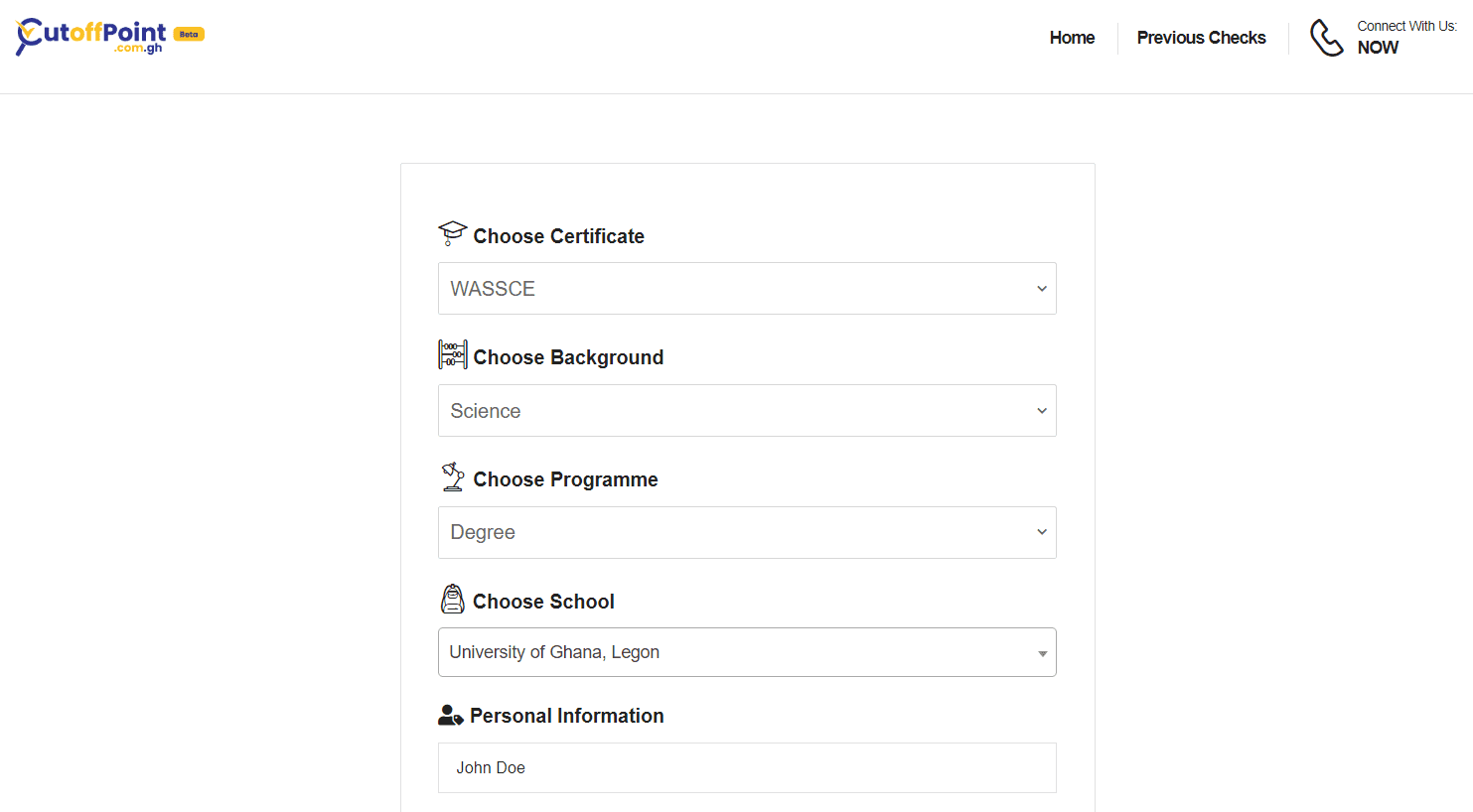
- Visit cutoffpoint.com.gh in a web browser, preferably Google Chrome
- Select “WASSCE” from the dropdown bottom.
- Click the programme you offered at SHS.
- Select the type of programme you want to apply for (Certificate, Diploma or Degree)
- Choose school or college and click next
- Select the exact grade you got for your core subjects and click “NEXT”
- Select all the electives you offered in SHS and click “NEXT”
- Choose the grades you got for the elective subjects and click “NEXT”
- Input your name and phone number and click “Check for Programme”
- Input MoMo/Card information and make payment
- Done
Note: A confirmation code will be sent to your phone number so kindly input an active number. This code can be used to check the list again.
Published By: Justice Donkoh | GESHub.org