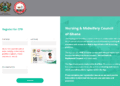
After the Nursing and Midwifery Council of Ghana releases licensing examination results for candidates, they are required to check and print their results online.
In today’s guide, GESHub.org has outlined all the steps to follow to check, download and print your results online from the NMC results checking Portal.
This guide has also outlined the steps to follow to register after you pass the examination with flying colours. Follow the steps below.
How to check NMC licensing exams results
- Visit nmc.gov.gh
- Click on online services>online results
- Select Generate code on the next page
- Key in your index number, contact number and date of birth. Click Generate code. You will receive the code via SMS.
- Proceed to click on check results
- Key in your index number and the code you received via SMS
- Print a copy of the results and proceed to register.
Registration for successful candidates
- Pay the approved registration fee at any branch of ADB or GCB.
- After successful payment, click on congratulations button to fill the registration form and submit online.
Note: You are required to upload an image of your bank pay-in-slip. You are not required to print and send a copy of the registration form to your institution for endorsement.
3. Proceed to the nearest Regional office with the following documents:
- Bank pay-in-slip
- Valid National ID
- 2 passport size photograph with white background for Basic programmes and Red background for Auxiliary Programmes.
NB: Failure to register within two months from the date of publication of results would attract a penalty.
Published By: Justice Donkoh | GESHub.org