
• Home
  • News
  • Guides
  • GES Files
  • NSMQ
  • About
  • Copyright
  • Contact Us
  • Privacy Policy
  • About Justice Donkoh
No Result
View All Result
  • Home
  • News
  • Guides
  • GES Files
  • NSMQ
  • About
  • Copyright
  • Contact Us
  • Privacy Policy
  • About Justice Donkoh
No Result
View All Result
GESHub.org
No Result
View All Result

NaCCA QR Code Scanner | Simple steps to download App on Google Play or App Store

Justice Donkoh by Justice Donkoh
in Guides
A A
NaCCA
Share on FacebookShare on Twitter

The National Council for Curriculum and Assessment (NaCCA) has officially launched its state-of-the-art QR Code Scanner. This innovative tool is now available for download on both Google Play and the App Store, empowering the public to verify the approval status of instructional materials such as textbooks and teacher guides.

The NaCCA QR Code Scanner is meticulously designed to serve schools, teachers, parents, publishers, and the general public. With a simple scan, users can access real-time information about the approval status of instructional materials, offering a transparent and efficient means of ensuring adherence to the Standards-Based Curriculum (SBC) currently implemented at the pre-tertiary level.

READ ALSO  How to Check Your GES Recruitment Application Status - Check Here!

Highlighting the advantages of this QR code technology, NaCCA emphasizes that it enables the public to make informed decisions. By utilizing the scanner, stakeholders can verify whether teaching and learning resources, including textbooks, supplementary materials, and workbooks, meet the rigorous standards set by the SBC.

Here’s a step-by-step guide on how to download and use the NaCCA QR Code Scanner:

How to download NaCCA QR code scanner on Google Play or App Store

  1. Launch Google Play or the App Store on your smartphone.
  2. Enter “NaCCA QR Code Scanner” in the search bar and initiate the download.
  3. The QR Code Scanner will seamlessly configure and install on your device after a successful download.
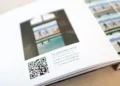
  4. Open the application and position it over the QR code on the cover page of any instructional material, such as textbooks or supplementary readers.
  5. Click the ‘Scan Book’ button and patiently await the response.
  6. For materials that have received NaCCA’s approval, the scanner will display a confident ‘Verified’ command, providing assurance to users.
READ ALSO  Official 2026 GES Recruitment Status Portal Link - Check Here!

Embrace the future of educational verification with NaCCA’s QR Code Scanner, ensuring a seamless and trustworthy educational experience for all stakeholders.

Source: GESHub.org

ShareTweetSendShare

Related Posts

NaCCA Graduate Recruitment Application Guide

2026 NaCCA Graduate Recruitment Application Guide – Check Here!

4 weeks ago
NaCCA Graduate Recruitment

Just In | NaCCA commences 2026 graduate recruitment – Apply Here!

4 weeks ago
Students

2024 National Standardized Test Schedule/Timetable

2 years ago
Time with Dr. Yaw Osei Adutwum at Assin State College

5 new elective subjects introduced into the Senior High School curriculum of Ghana

2 years ago
Dr. Yaw Osei Adutwum with students of ASCO

Complete list of all 37 new subjects taught in Senior High Schools in Ghana

2 years ago
SHS Students

Senior High School subjects taught in Ghana reduced from 63 to 37

2 years ago
Senior High School Students

Core Maths & Integrated Science to be removed as subjects of study for SHS Science students

2 years ago
Book with QR Code

NaCCA launches QR code on approved textbooks & teacher guides – Check Here!

2 years ago
Our World Our People withdrawn as subject for Basic Schools in Ghana

OWOP withdrawn as subject for Basic Schools in Ghana

3 years ago
Load More
Next Post
Senior High School Students

Core Maths & Integrated Science to be removed as subjects of study for SHS Science students

Giovanni Adjei wins 2024 The Spelling Bee

Giovanni Adjei emerges victorious in The Spelling Bee – GH 2024

GES Recruitment Application Modules

GES deletes recruitment application module from recruitment portal - Check Meaning Here!

Leave a Reply Cancel reply

Your email address will not be published. Required fields are marked *

  • Home
  • About
  • Copyright
  • Contact Us
  • Privacy Policy
  • About Justice Donkoh

© 2023 - 2026 GESHub.org. Designed by Justice Donkoh. All Rights Reserved. Thank you for visiting us.

Powered by WordPress

No Result
View All Result
  • Home
  • News
  • Guides
  • GES Files
  • NSMQ
  • About
  • Copyright
  • Contact Us
  • Privacy Policy
  • About Justice Donkoh

© 2023 - 2026 GESHub.org. Designed by Justice Donkoh. All Rights Reserved. Thank you for visiting us.